


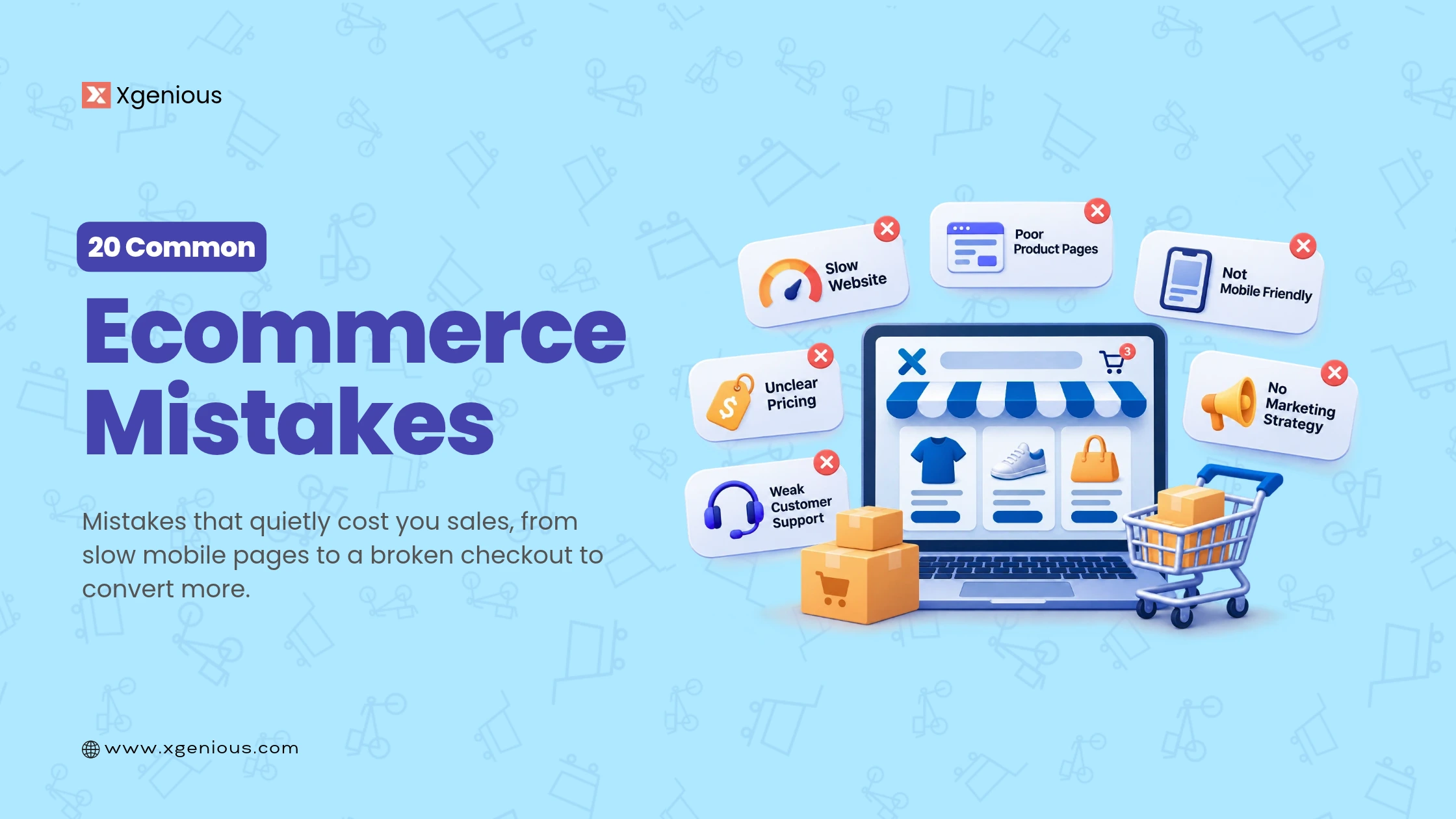


Most online stores do not fail because of one big disaster. They bleed sales slowly through small, common ecommerce mistakes: a slow page, a confusing checkout, a missing product description, a payment method a customer wanted and could not find. The good news is that every one of these is fixable.
This guide walks through 20 common ecommerce mistakes that quietly cost you sales in 2026, and exactly how to fix each one.
TL;DR: the 20 common ecommerce mistakes at a glance
Here are all 20 common ecommerce mistakes and the one-line fix for each. The detailed breakdown, with bullet points and solutions, is in the rest of the guide.
| # | Mistake | The quick fix |
|---|---|---|
| 1 | Choosing the wrong platform | Match the platform to your features, budget, and growth before you commit |
| 2 | Not knowing your target audience | Define your customer and let it guide your catalog and copy |
| 3 | Not optimizing for mobile | Use responsive design and test the checkout on a real phone |
| 4 | Slow page load speed | Compress images, cache, use a CDN; aim for under 2.5 seconds |
| 5 | Poor site navigation | Clear categories, a visible search bar, and a short path to checkout |
| 6 | Weak UX design | Design for the shopper’s journey with obvious buttons and steps |
| 7 | Overusing pop-ups | One well-timed, easy-to-close pop-up at most |
| 8 | Low-quality images | High-resolution photos from multiple angles, plus in-use shots |
| 9 | No product categories | Organize into categories and add filters |
| 10 | Missing call-to-action buttons | A clear, prominent CTA on every product page |
| 11 | No product descriptions | Write features, benefits, and specs for every product |
| 12 | Not optimizing for search engines | Clean URLs, titles, alt text, and product schema |
| 13 | Weak security | HTTPS, PCI-compliant payments, and visible trust signals |
| 14 | Too few payment options | Offer cards, wallets, and local methods your market uses |
| 15 | No guest checkout | Let people buy without an account, invite signup after |
| 16 | A complicated checkout | Short, clear checkout with costs shown early |
| 17 | Not tracking data and analytics | Set up GA4 and ecommerce tracking from day one |
| 18 | A blank or missing About page | Tell who you are and why you are trustworthy |
| 19 | Bad customer service | Live chat, a ticket system, and an FAQ |
| 20 | No social proof | Show verified reviews, ratings, and customer photos |
Fix the mobile, speed, and checkout rows first, they lose the most sales, then work down the rest.
Table of Contents
What usually goes wrong with an ecommerce store
Before the list, it helps to see the pattern. Most common ecommerce mistakes trace back to the same few causes, and small errors compound. A few recurring causes sit behind most failed stores:
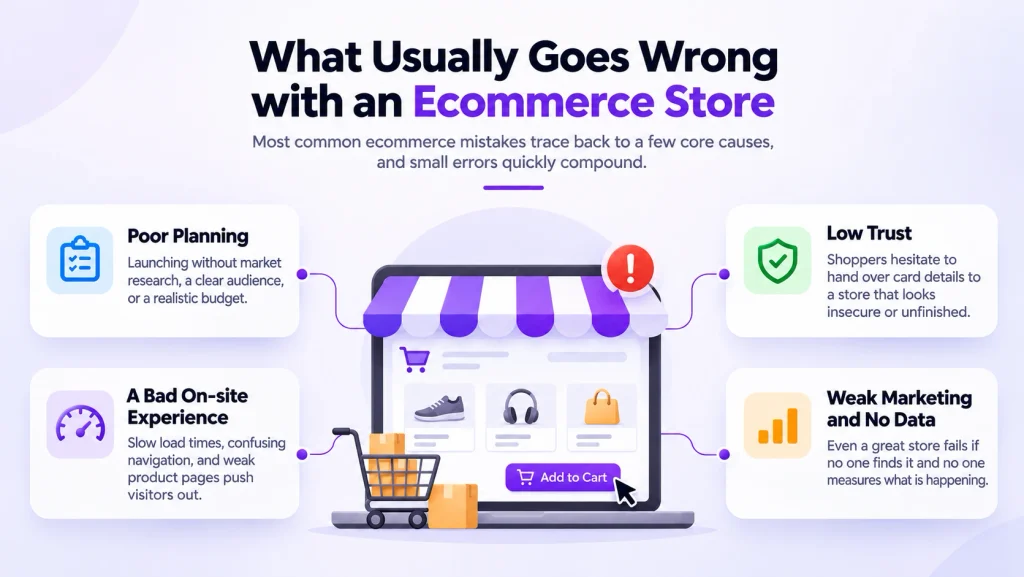
- Poor planning. Launching without market research, a clear audience, or a realistic budget. A structured step-by-step build avoids most of it.
- A bad on-site experience. Slow load times, confusing navigation, and weak product pages push visitors out.
- Low trust. Shoppers hesitate to hand over card details to a store that looks insecure or unfinished.
- Weak marketing and no data. Even a great store fails if no one finds it and no one measures what is happening.
Nearly all of the 20 common ecommerce mistakes below are specific versions of these four, and each has a concrete fix.
20 common ecommerce mistakes and how to fix them
Here is the full list of common ecommerce mistakes, each with the problem spelled out and a concrete fix. You do not have to tackle every ecommerce mistake at once, start with the ones that match the symptoms your store is showing, then work down.
1. Choosing the wrong ecommerce platform
The platform decides your costs, your features, and how far you can scale. Pick one that cannot handle multi-currency, your payment gateways, or your growth, and you will be rebuilding within a year. Switching later means migrating products, orders, and SEO, which is slow, risky, and expensive.
Fix: Match the platform to your real needs and budget before you commit.
- List your must-have features (your payment gateways, multi-currency, multi-vendor) and rule out anything that lacks them.
- Compare the total cost, platform fee plus transaction fees plus paid apps, not just the headline price.
- Weigh the options, from hosted builders to non-WordPress ecommerce platforms and self-hosted ecommerce PHP scripts you own outright.
2. Not knowing your target audience
If you do not know who you are selling to, your products, messaging, and offers all miss. You end up stocking the wrong items and writing copy that speaks to no one, then wondering why traffic does not convert. It is one of the most common ecommerce mistakes among new store owners.
Fix: Build a clear picture of your customer and let it drive every decision.
- Define their age, needs, budget, and where they shop online.
- Use that profile to choose which products to stock and how to price them.
- Write product copy and ads in the language that audience actually uses.
3. Not optimizing for mobile
This is one of the costliest common ecommerce mistakes: most ecommerce traffic now comes from phones, so a site that is slow or awkward on mobile quietly loses the majority of your visitors, and Google’s mobile-first indexing penalizes it in search too. See our guide on the role of mobile apps for ecommerce for the bigger picture.
Fix: Treat mobile as the primary experience, not an afterthought.
- Use a responsive design with big tap targets and fast-loading images.
- Make sure the checkout works with one thumb, no pinching or zooming.
- Test on a real phone, not just a desktop browser preview.
4. Slow page load speed
Speed is money in ecommerce. Studies tracked by Google’s web.dev show conversions drop sharply as load time climbs, and impatient visitors leave for a faster competitor before they ever see a product.

Fix: Treat performance as a feature and keep pages lean.
- Compress and lazy-load images, and serve next-gen formats like WebP.
- Enable caching, minify CSS and JavaScript, and use a CDN.
- Choose fast, scalable hosting and aim for a largest-contentful-paint under about 2.5 seconds.
5. Poor site navigation
If shoppers cannot find products quickly, they leave. Confusing menus and no clear path to what they want send your bounce rate up and your conversions down, especially as your catalog grows.
Fix: Make it effortless to find and reach any product.
- Group products into clear, logical categories and subcategories.
- Put a visible search bar with autocomplete on every page.
- Keep any product within a few clicks of checkout.
6. Weak UX design
A frustrating interface, cramped buttons, unclear steps, and dead ends make people abandon before they buy and raise your support load.
Fix: Design around the shopper’s journey, not your admin layout.
- Use clear labels, obvious buttons, and consistent layouts.
- Keep the flow from product to cart to confirmation smooth and predictable.
- Watch a few first-time users try to buy, and fix what trips them up.
7. Overusing pop-ups
A pop-up on arrival, another on scroll, another on exit, aggressive pop-ups bury your products and annoy visitors into leaving. It is a small but surprisingly common ecommerce mistake.

Fix: Use pop-ups sparingly and respectfully.
- Limit to one well-timed pop-up, such as an exit-intent offer or email capture.
- Make it large enough to read but easy to close in one tap.
- Never let a pop-up block the content on mobile.
8. Using low-quality images
Images are the first thing a shopper judges. Blurry or sparse photos make a product look cheap and a store look untrustworthy.
Fix: Let your photography sell the product.
- Use high-resolution images and show the product from multiple angles.
- Add lifestyle or in-use shots so buyers can picture owning it.
- Compress the files so quality stays high without slowing the page.
9. No product categories
Without categories, visitors cannot browse, and search engines cannot understand your site structure, which hurts both UX and SEO.
Fix: Give your catalog a clear structure.
- Organize products into categories and subcategories that match how people shop.
- Add filters for size, price, color, and availability.
- Use category pages as SEO landing pages with their own titles and descriptions.
10. Missing call-to-action buttons
If the “Add to Cart” or “Buy Now” button is unclear or missing, customers do not know what to do next and drift away.
Fix: Make the next step obvious on every page.
- Put a prominent, clearly worded CTA above the fold on each product page.
- Use a contrasting color so the button stands out.
- Keep one primary action per page so the choice is never confusing.
11. No product descriptions
A product with no description leaves buyers guessing, and uncertain buyers do not buy. Descriptions answer questions, reduce support requests, and carry your brand voice.
Fix: Write a real description for every product.
- Cover the features, benefits, specs, and who it is for.
- Answer the questions shoppers would otherwise email you about.
- Match the tone to your brand, which also helps you build brand awareness and loyalty.
12. Not optimizing for search engines
If your pages do not rank, customers searching for what you sell never find you, and you pay for every visitor through ads instead.
Fix: Build SEO into every page from the start.
- Use clean, keyword-rich URLs and a unique title and meta description per page.
- Structure content with proper headings and add image alt text.
- Add product schema so your listings can show rich results in search.
13. Weak security
Shoppers hand over card and personal details, so any sign of weak security costs you the sale, and a real breach costs far more in trust, revenue, and legal exposure.
Fix: Make security visible and real.
- Serve the whole site over HTTPS and keep software patched.
- Use a recognized PCI-compliant payment processor so card data never touches your server.
- Follow the OWASP security basics and show trust signals (secure badge, clear privacy policy) at checkout.
14. Too few payment options
If a shopper’s preferred method, a card, a wallet, or a local option, is missing, they leave rather than adapt.
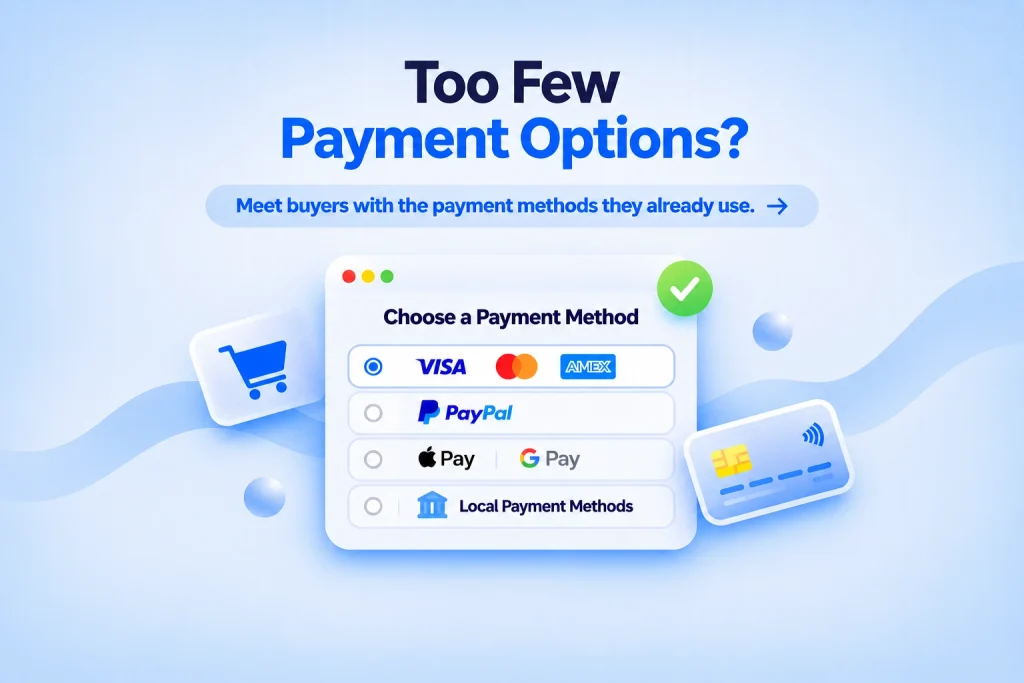
Fix: Meet buyers with the payment methods they already use.
- Offer major cards, PayPal, and digital wallets as a baseline.
- Add the reliable payment gateways and local methods your markets actually use.
- Let customers save a preferred method for faster repeat purchases.
15. No guest checkout
Forcing account creation before purchase is one of the most avoidable common ecommerce mistakes, and one of the biggest causes of abandoned carts. Many shoppers will not register just to buy once.
Fix: Remove the signup wall.
- Offer guest checkout as a standard feature.
- Invite account creation after the purchase, using the details they just entered.
- Offer social or one-tap login for those who do want an account.
16. A complicated checkout
Of all the common ecommerce mistakes, a bad checkout costs the most, because the shopper was ready to buy. A long, multi-step, confusing checkout is where sales die. The Baymard Institute puts the average cart abandonment rate around 70 percent, with a hard checkout among the top causes.
Fix: Strip the checkout down to the essentials.
- Keep it short, with a clear progress indicator and auto-filled fields.
- Show shipping and tax early so there are no surprises at the final step.
- Let shoppers edit the cart before paying, and recover drop-offs with an abandoned-cart email.
17. Not tracking data and analytics
Without analytics you cannot see where buyers drop off, which products sell, or which marketing works, so you fix nothing with confidence.
Fix: Measure from day one.
- Set up Google Analytics 4 with ecommerce tracking enabled.
- Watch conversion rate, cart abandonment, and traffic sources.
- Use the data to judge your ecommerce marketing and decide what to fix next.
18. A blank or missing About page
An empty About page is a trust killer. Shoppers want to know who they are buying from, and a store with no story looks fly-by-night.
Fix: Use the About page to earn trust.
- Tell who you are, what you sell, and why you started.
- Add real contact details, a business address, and any credentials or guarantees.
- Include a face or team photo so the store feels run by actual people.
19. Bad customer service
Slow or unhelpful support leads to negative reviews, lost repeat business, and abandoned carts when a pre-sale question goes unanswered.
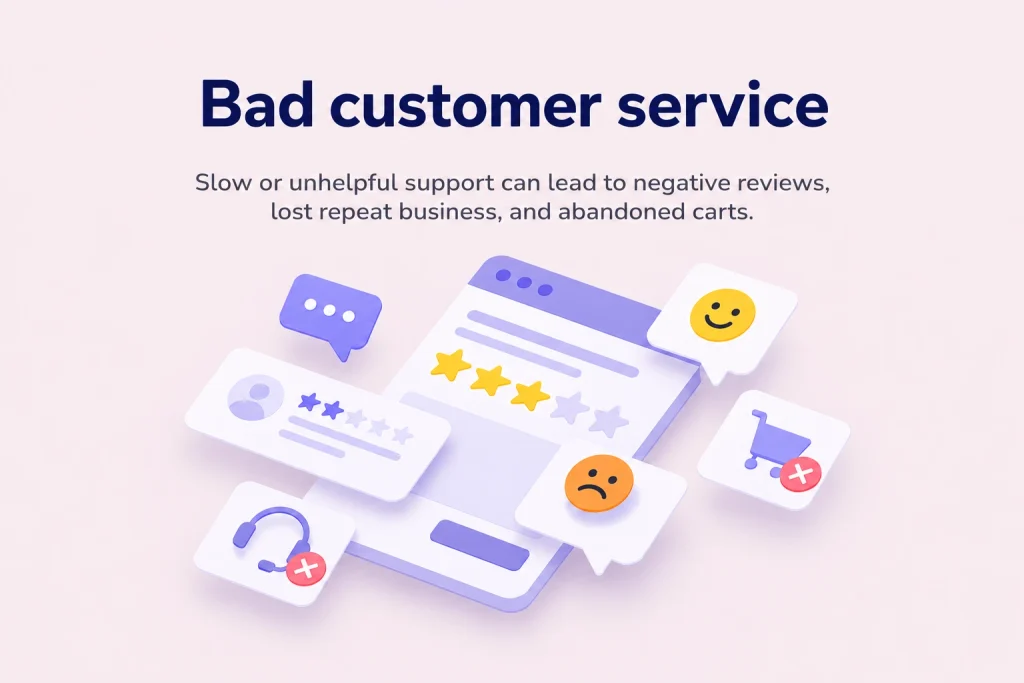
Fix: Make help fast and easy to reach.
- Offer live chat or a chatbot for instant answers during shopping.
- Provide a clear contact form and ticket system for post-sale issues.
- Publish an FAQ so shoppers can self-serve, which is also the heart of customer retention.
20. No social proof
Shoppers trust other shoppers. A store with no reviews, ratings, or testimonials gives new buyers no reason to feel confident.
Fix: Put proof where buyers decide.
- Collect and display verified reviews and star ratings on product pages.
- Feature customer photos and testimonials near the Add to Cart button.
- Show any social following, press mentions, or trust badges, and make leaving a review one click.
A quick checklist to avoid these common ecommerce mistakes
Before you launch or when you audit an existing store, run through this list to catch the common ecommerce mistakes before they cost you sales:
- The platform fits your budget, features, and growth plans.
- The site is fast and fully responsive on mobile.
- Navigation is simple, with clear categories and search.
- Every product has strong images, a description, and a clear CTA.
- Checkout is short, offers guest checkout, and shows costs early.
- Multiple payment options and visible security are in place.
- SEO basics (URLs, titles, alt text, schema) are set.
- Analytics is tracking behavior from day one.
- The About page, customer service, and social proof build trust.
The bottom line
None of these common ecommerce mistakes is dramatic on its own, but together they are why many stores quietly underperform. The fix is not a rebuild; it is working through the list, fast mobile and checkout first, then product pages, trust, and data, and correcting one leak at a time. Do that and the same traffic you already have starts converting far better.

Frequently asked questions
What are the most common ecommerce mistakes?
The most costly common ecommerce mistakes are a slow or non-responsive mobile site, a long or confusing checkout with no guest option, thin product pages (no descriptions, poor images, no reviews), too few payment options, weak security, and no analytics. Each one quietly lowers conversions, and most stores make several at once.
Which ecommerce mistake causes the most lost sales?
Checkout problems tend to cost the most, because the shopper was ready to buy. With cart abandonment averaging around 70 percent, a long checkout, forced account creation, surprise shipping costs, or too few payment options turn intent into an abandoned cart. Fixing checkout usually gives the fastest revenue lift.
How do I fix a high cart abandonment rate?
Shorten the checkout, offer guest checkout, show shipping and tax early, add the payment methods your customers want, and send an abandoned-cart email. Also make sure the whole flow works smoothly on mobile, where most carts are now abandoned.
Do these ecommerce mistakes affect SEO?
Yes. Slow pages, poor mobile usability, missing product categories, and weak on-page SEO (URLs, titles, alt text, schema) all hurt your search rankings as well as your conversions, so fixing them helps you get found and sell more.
How often should I audit my store for these mistakes?
Review the checklist at launch and then at least once or twice a year, plus any time conversions drop. Stores change as you add products and traffic, so a mistake that was not there at launch can creep in over time.