

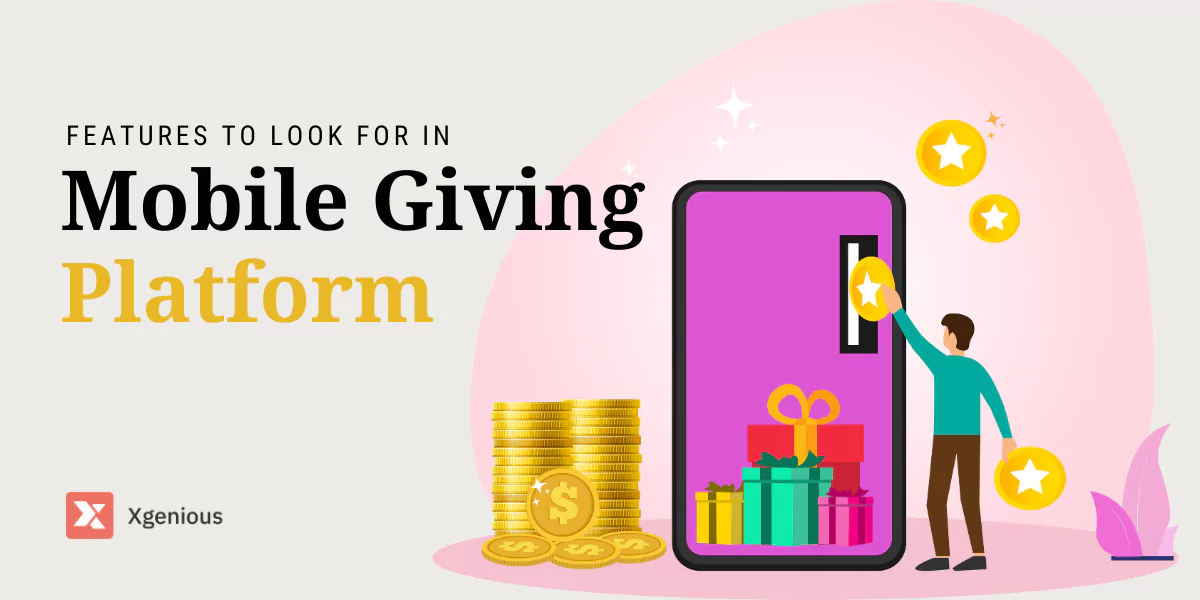


A mobile giving platform is the software that lets donors give from their phones in a few taps, through a donation form, a text message, or an app. Picking the right one decides how many visitors actually finish a donation, how much of each gift reaches your cause, and whether one-time givers come back.
This guide covers the 10 features that matter most in a mobile giving platform in 2026, how to weigh them, and how to choose the one that fits your nonprofit.
In a nutshell
A good mobile giving platform in 2026 is judged on a few things done well:
- A fast, simple donation flow on a phone, the fewer taps and fields, the more gifts finish.
- Recurring donations and donor management, which turn one-time givers into steady supporters.
- Strong security and compliance, so donors trust you with their payment details.
- Multiple payment options (cards, digital wallets, text-to-give) to match how people pay.
- Analytics and integrations that connect to your CRM and email so nothing is manual.
The 10 features below, plus how to evaluate them for your nonprofit, are in the rest of the guide.
Table of Contents
What is a mobile giving platform?
A mobile giving platform is the technology a nonprofit uses to collect donations on mobile devices: a mobile-optimized donation page, a text-to-give number, a dedicated app, or donate buttons inside social media. It handles the payment, the receipt, and usually the donor record. Because a large and growing share of online donations now happen on a phone, as nonprofit fundraising statistics consistently show, the mobile experience is no longer a nice extra, it is the main channel.
The right mobile giving platform does three jobs: it makes giving effortless for the donor, it keeps their data safe, and it gives you the tools to build a lasting relationship rather than collect a single gift. The features below are how you tell a strong platform from a weak one.
The 10 features to look for in a mobile giving platform
Here is the shortlist, then the details on each.
| # | Feature | Why it matters |
|---|---|---|
| 1 | Ease of use | Fewer taps means more completed donations |
| 2 | Donor management | Track and steward supporters over time |
| 3 | Multiple payment options | Meet donors where their money is |
| 4 | Recurring donations | Turn one-time gifts into steady income |
| 5 | Data security | Earns the trust that makes people give |
| 6 | Customization and branding | Keeps the experience unmistakably yours |
| 7 | Analytics and reporting | Shows what is working so you can do more |
| 8 | Integrations | Connects to your CRM, email, and accounting |
| 9 | Text-to-give | Captures donations in the moment |
| 10 | Peer-to-peer fundraising | Turns supporters into fundraisers |
1. Ease of use
The single biggest lever on a mobile giving platform is a frictionless donation flow. Every extra step, field, or confusing button is a chance for the donor to give up. It should also be easy for your team to set up campaigns and manage donations without technical help.
- Keep the donation form short: amount, payment, done.
- Use big tap targets, clear labels, and a fast-loading mobile page.
- Make sure your staff can launch a campaign without a developer.
2. Donor management
A real mobile giving platform is more than a donate button. Built-in donor management tools let you track who gave, how much, and how often, so you can steward relationships instead of starting cold every time.
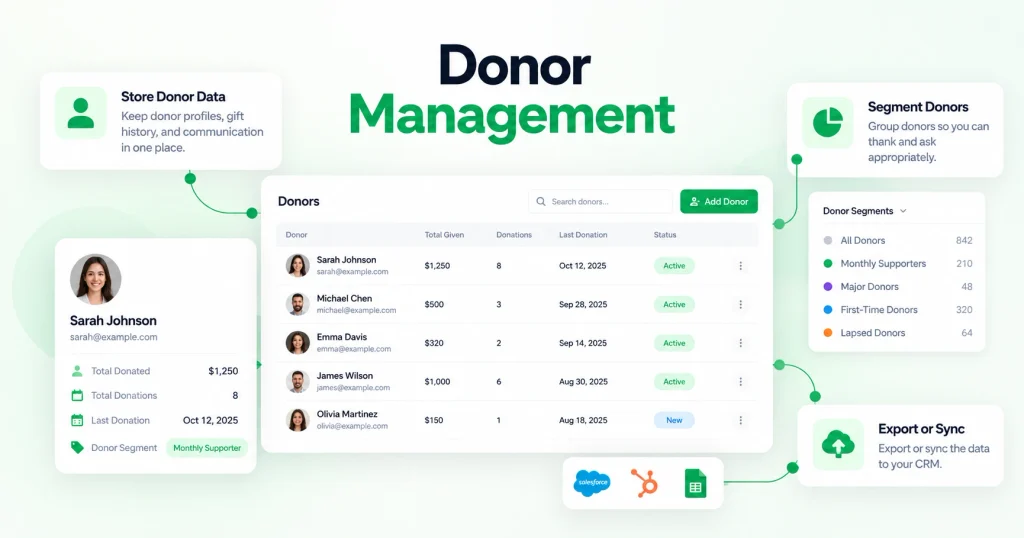
A full view of each donor’s history is what makes thoughtful follow-up possible.
- Store donor profiles, gift history, and communication in one place.
- Segment donors so you can thank and ask appropriately.
- Export or sync the data to your CRM.
3. Multiple payment options
Donors pay in different ways, and limiting them costs you gifts. The best platforms accept credit and debit cards, digital wallets like Apple Pay and Google Pay, and bank transfers, with the whole flow working cleanly on a phone.
- Offer at least cards plus one digital wallet.
- Let donors cover processing fees if they choose.
- Show a clear total before they confirm.
4. Recurring donations
Monthly giving is the backbone of stable nonprofit income, so one-tap recurring donations are one of the most valuable features a mobile giving platform can have.
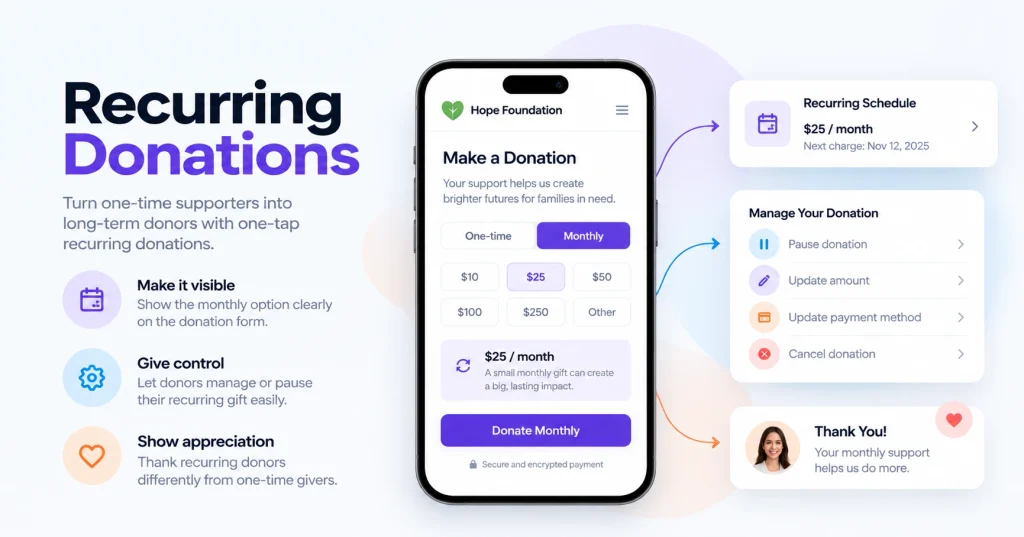
A supporter who sets up a small monthly gift is worth far more over time than a single larger one.
- Make the monthly option visible on the donation form.
- Let donors manage or pause their recurring gift easily.
- Thank recurring donors differently from one-time givers.
5. Data security
Donors hand over payment and personal details, so security is not optional. A trustworthy mobile giving platform uses encryption, works with recognized payment processors, and complies with data-protection rules. Visible trust signals, like a secure checkout and a clear privacy policy, lift conversions as well as protect people.
- Look for PCI-compliant processing and SSL encryption.
- Confirm the platform follows relevant privacy regulations.
- Be upfront with donors about how their data is protected.
6. Customization and branding
Your donation experience should look like you, not like a generic third-party form. Customization lets you brand donation pages, emails, and receipts, which builds recognition and trust. A branded flow feels safer to donors than one that suddenly jumps to an unfamiliar page.
- Match colors, logo, and wording to your brand.
- Customize the thank-you page and receipt.
- Keep the donor on your domain where possible.
7. Analytics and reporting
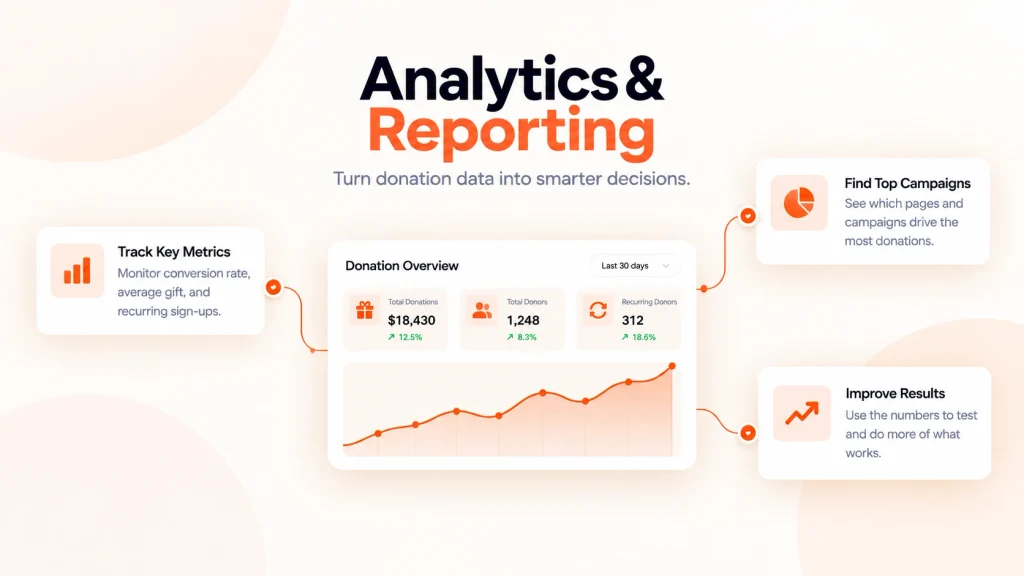
Data you can act on is what turns a good campaign into a better one. A strong mobile giving platform shows giving trends, donor behavior, and campaign performance, so you can see what drives gifts and do more of it.
- Track conversion rate, average gift, and recurring sign-ups.
- See which pages and campaigns drive the most donations.
- Use the numbers to test and improve, not just to report.
8. Integrations
Your mobile giving platform should not stand alone. Integrations with your CRM, email marketing, and accounting tools remove manual work and keep donor data consistent everywhere.
- Confirm it connects to the CRM and email tools you use.
- Look for native integrations or a reliable API and Zapier support.
- Make sure donations sync automatically, not by export and import.
9. Text-to-give
Text-to-give lets donors contribute by sending a simple text, which is powerful in the moment, at events, during appeals, or in response to a campaign. It removes almost all friction for spontaneous gifts.
- Offer a memorable keyword and number.
- Promote it at events and across your channels.
- Confirm the gift and follow up with a receipt.
10. Peer-to-peer fundraising
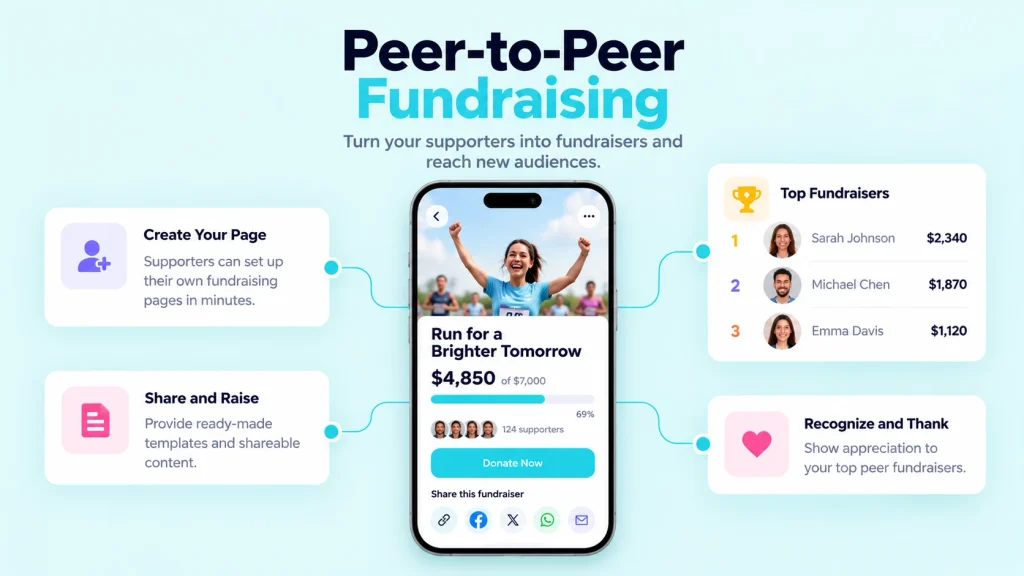
Peer-to-peer features let your supporters raise money on your behalf by creating their own pages. It expands your reach into networks you could never touch directly, which is one of the fastest ways to grow donations.
- Let supporters set up and share personal fundraising pages.
- Give them easy templates and shareable content.
- Recognize and thank your top peer fundraisers.
How to choose the right mobile giving platform for your nonprofit
The feature checklist narrows the field; these steps help you pick the one.
Step 1: Identify your needs
Every nonprofit is different. List your must-have features before you shop, recurring giving, text-to-give, a specific CRM integration, so you can rule platforms in or out quickly instead of being dazzled by long feature lists.
Step 2: Do your research
Read reviews, ratings, and testimonials, and ask providers for references from nonprofits like yours. Our guide on how to ask for donations and the broader tips for driving more donations through your website are useful context for judging whether a platform actually supports best practice.
Step 3: Check compliance and security
Confirm the platforms on your shortlist meet the data-protection rules in your region and use recognized, PCI-compliant payment processing. Donor trust depends on it, and a breach can undo years of goodwill.
Step 4: Take a test drive
Most platforms offer a free trial or demo. Use it. Go through the donation flow on a phone yourself, and have a few non-technical people try it too. The one that feels effortless to a first-time donor is usually the right one.
Step 5: Compare the real cost
Look past the headline price to the full cost: platform fees, payment processing, and any charges for premium features. The cheapest option is not always the best value, aim for the balance of low total cost and the features you actually need. Most platforms pass through card processing of roughly 2.2 to 2.9 percent plus a small fixed fee, so factor that into every comparison.
Hosted platform or your own donation site?
Most nonprofits start with a hosted mobile giving platform because it is fast to launch and needs no technical work. The trade-off is ongoing fees and less control over your donor data. If you fundraise often and want to keep the fees and own the data, a self-hosted option is worth considering: our guide on how to build your own crowdfunding platform covers that route, and Fundorex is our own self-hosted crowdfunding and donation script with mobile-ready donation pages and multiple payment gateways. For a shortlist of hosted options built for charities, see the best crowdfunding websites for nonprofits.
Common mistakes to avoid
- Treating mobile as an afterthought. Most donors are on a phone; a clunky mobile flow quietly loses gifts.
- Too many form fields. Every extra field drops completion. Ask only for what you need.
- No recurring option. Leaving out monthly giving leaves your most valuable donors on the table.
- Ignoring the data. If you do not track conversion and donor behavior, you cannot improve.
- Skipping the follow-up. A platform is only half the job; the thank-you and the receipt are what bring donors back. Our best practices for keeping donors engaged go deeper.
The bottom line
The best mobile giving platform is the one that makes giving effortless on a phone, keeps donor data safe, and gives you the tools to turn a first gift into a lasting relationship. Start by listing the few features you truly need, usually a fast mobile flow, recurring donations, strong security, and the integrations your stack requires, then test the shortlist on a real phone and compare the full cost. Get that right and your mobile giving platform stops being a donate button and becomes a genuine engine for your cause.
Frequently asked questions
What is a mobile giving platform?
A mobile giving platform is software that lets donors give from their phones through a mobile-optimized donation page, a text-to-give number, an app, or social media donate buttons. It processes the payment, sends the receipt, and usually records the donor, so nonprofits can collect and manage gifts made on mobile devices.
What features matter most in a mobile giving platform?
The most important are a fast, simple mobile donation flow, recurring-donation support, strong data security, multiple payment options, and donor management. Integrations with your CRM and email, analytics, text-to-give, and peer-to-peer fundraising round out a strong platform. Match the features to your nonprofit’s actual needs rather than chasing the longest list.
How much does a mobile giving platform cost?
It varies. Some platforms charge no platform fee and fund themselves through optional donor tips, while others charge a monthly subscription or a small percentage. Nearly all pass through card processing of roughly 2.2 to 2.9 percent plus a fixed amount per gift. Compare the total cost, not just the headline fee.
Is text-to-give worth it?
For events and time-sensitive appeals, yes. Text-to-give removes almost all friction for spontaneous gifts, letting a donor contribute by sending a short text. It works best promoted in the moment, at an event, during a campaign, or in a direct appeal.
Should a nonprofit use a hosted platform or build its own?
A hosted mobile giving platform is simplest and fastest for most nonprofits. A self-hosted option makes sense if you fundraise frequently and want to keep the fees and own your donor data, in exchange for hosting and maintaining it yourself.