

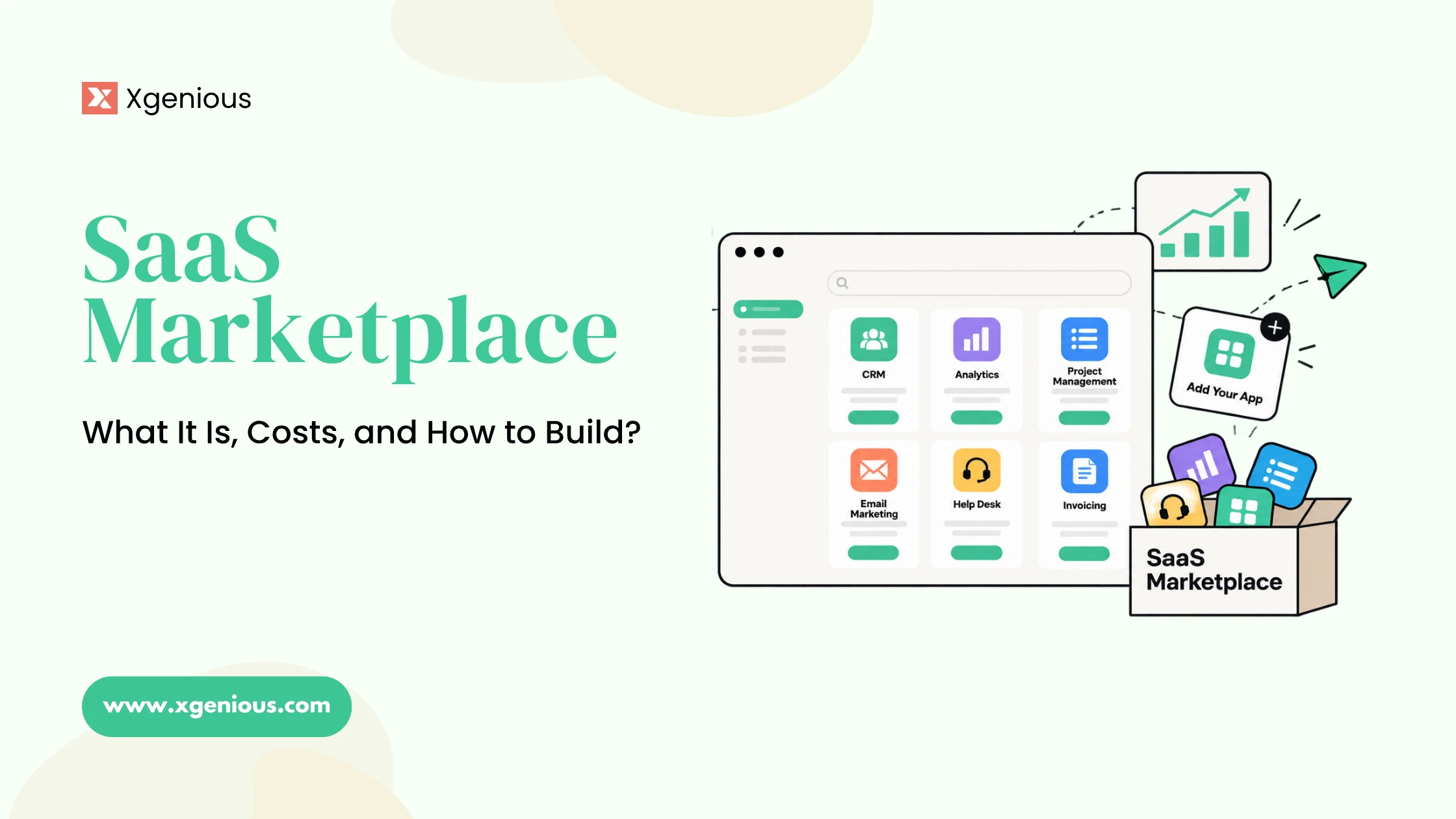


A SaaS marketplace is one of the most profitable models on the internet, because you earn twice: a subscription from the businesses on your platform and often a cut of the transactions they run through it. Think of a platform where sellers pay a monthly fee to run their own store, or service providers pay to take bookings, and you own the whole thing.
That is a SaaS marketplace, and this guide covers what it is, what it costs to build, which platform to use, and the features it needs.
Quick summary
- A SaaS marketplace combines a two-sided marketplace with subscription billing, so you earn recurring fees and often transaction commission.
- It differs from a pure SaaS tool (one customer, one account) and a pure marketplace (buyers and sellers, no subscription) by blending both.
- Building a SaaS marketplace costs anywhere from a few hundred dollars on a ready-made platform to tens of thousands for a custom build.
- The platform decision is build versus buy: a ready-made multi-tenant script is fastest, custom development is most flexible.
- Build scheduling, payments, reviews, and multi-tenant isolation from day one, not bolted on later.
What is a SaaS marketplace?
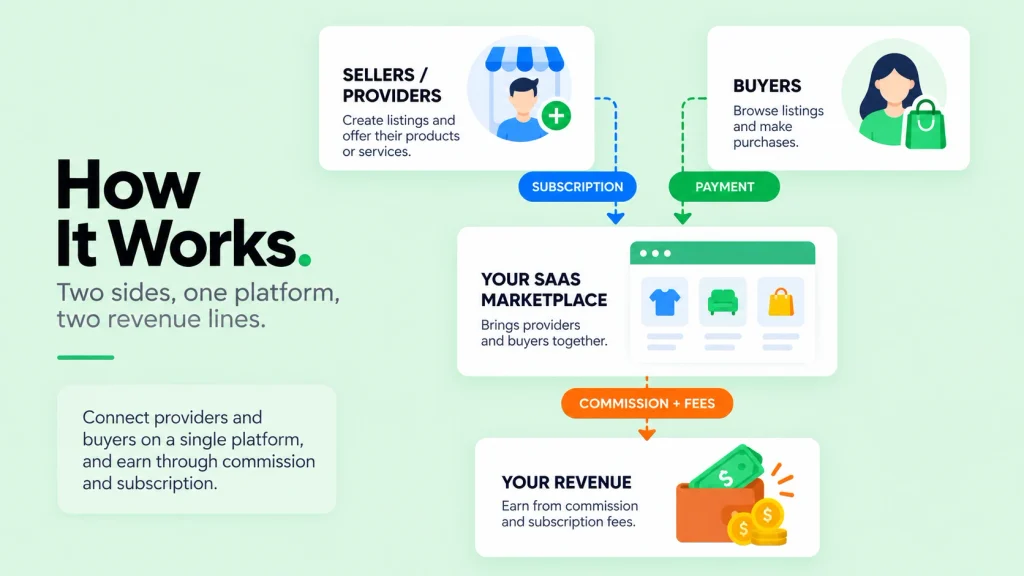
A SaaS marketplace is a platform where you sell software-as-a-service access to many businesses, and those businesses in turn serve their own customers through it. Each seller or provider gets their own space, often their own subdomain or branded store, and pays you a recurring subscription to use it. Many SaaS marketplaces also take a small commission on the transactions that flow through the platform, which is where the double revenue comes from.
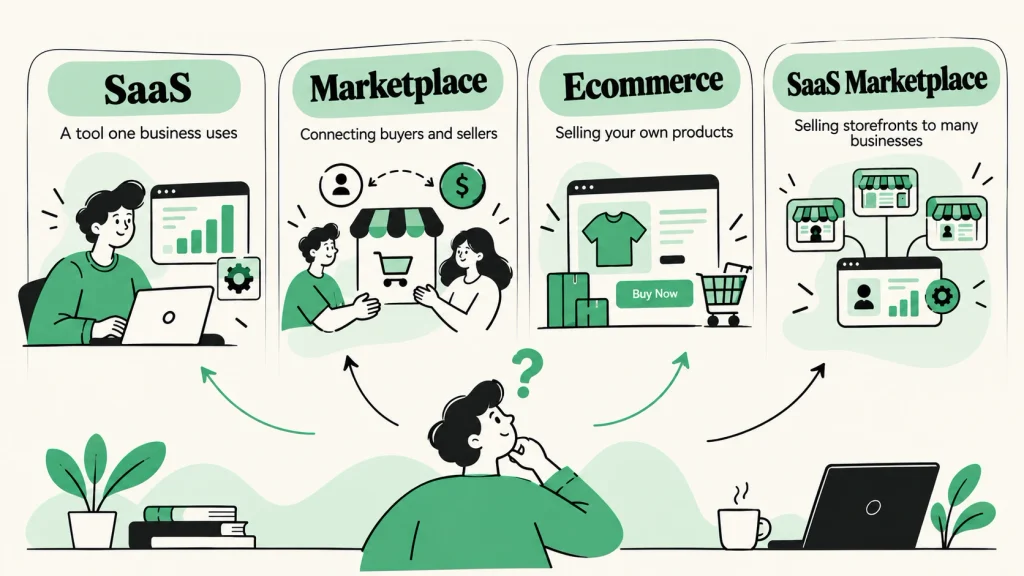
The clearest way to understand a SaaS marketplace is against the two models it blends:
- A pure SaaS tool serves one customer per account. You pay for a project tool, you use it, there is no second side. Revenue is subscription only.
- A pure marketplace connects buyers and sellers (think a classic store with many vendors). Revenue is transaction commission only, and sellers do not pay a subscription to exist there.
- A SaaS marketplace does both. Sellers subscribe to run their own storefront or service page, and you can also take a cut when their customers buy. That combination is what makes the model compound.
Real examples make it concrete. Shopify is effectively a SaaS marketplace: merchants pay a monthly subscription to run a store, and it earns more as they grow. A booking platform where salons pay monthly to take appointments, or a freelance platform where agencies pay to list and you take a commission on contracts, are both SaaS marketplaces.
Table of Contents
SaaS vs marketplace vs ecommerce: the models compared
Before you build, it helps to place the SaaS marketplace against the models it sits between, because the one you pick decides your revenue, your tech stack, and how hard it is to launch. Here is the full comparison across every dimension that matters.
| Dimension | Pure SaaS | Pure marketplace | Ecommerce store | SaaS marketplace |
|---|---|---|---|---|
| How it earns | Subscription | Transaction commission | Margin on products | Subscription + commission |
| Who pays you | The user | The seller, per sale | The buyer | Sellers and buyers |
| Sides to balance | One | Two | One | Two |
| Holds inventory | No | No | Yes | No |
| Revenue predictability | High (recurring) | Low (per transaction) | Medium | High (recurring floor) |
| Tech complexity | Medium | High | Low to medium | Highest (multi-tenant) |
| Typical startup cost | Low to medium | Medium | Low | Medium (ready-made script) |
| Scalability | Scales with seats | Scales with volume | Scales with sales | Scales with both |
| Best for | A tool one business uses | Connecting buyers and sellers | Selling your own products | Selling storefronts to many businesses |
| Example | A project tool | A classic multi-vendor store | A single-brand shop | Shopify, a booking platform |
The SaaS marketplace is the most technical of the four, because you are running multi-tenant software (many isolated accounts on one system) and handling money on two sides. It is also the most profitable per customer, because a subscriber who grows pays you more every month without you holding any inventory. If you are still deciding between building a tool and building a platform, our guide on the two-sided marketplace business model goes deeper on the marketplace side, and how to build a SaaS covers the subscription side.
How much does it cost to build a SaaS marketplace?
Cost is the first real question once the model makes sense, and the honest answer is a wide range, because it depends entirely on how you build. Budget for the whole first year, not just the software.
| Route | Typical cost | Time to launch |
|---|---|---|
| Ready-made multi-tenant script | $59 to a few hundred, one-time | Days to a week |
| White-label SaaS platform | $200 to $2,000+ per month | Days, but you own nothing |
| Custom development | $25,000 and up | 3 to 6 months |
On top of the platform itself, budget for these recurring lines so the first-year number is realistic:
- Hosting. Roughly $150 to $600 a year for a marketplace that handles real traffic, more as you grow.
- Domain and SSL. About $15 to $65 a year, though many hosts include SSL free.
- Payment processing. A fee on every transaction, charged by your gateway, on top of your own commission.
- Customization or setup help. Optional on a ready-made script, built into the cost of a custom build.
A realistic first year on a ready-made script lands in the low hundreds to low thousands of dollars. A custom build starts in the tens of thousands and runs for months, which only makes sense when your requirements are genuinely unusual or you have raised money to do it. The storefront layer under many of these platforms is a self-hosted eCommerce PHP script extended for multi-tenancy, and comparing WooCommerce alternatives is a useful way to see what that base layer can do.
The takeaway on cost:
- A ready-made multi-tenant script gives you the SaaS marketplace model for the price of a weekend.
- A custom build buys flexibility you may not need on day one, at tens of thousands of dollars.
- Most founders should start with the script and only go custom once the model is proven.
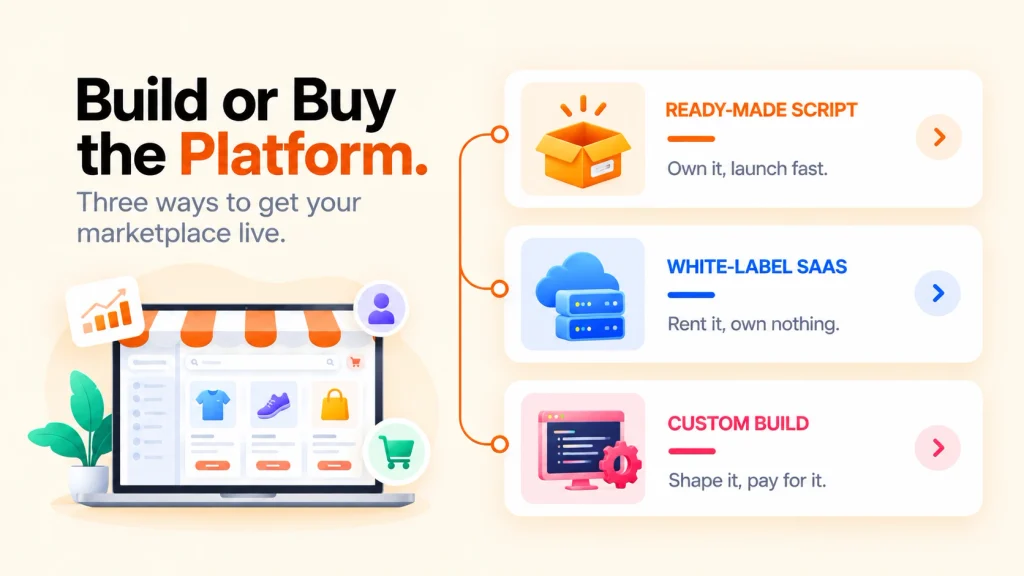
SaaS marketplace platform: build versus buy
The platform decision comes down to build versus buy, and it is the single most leveraged choice you make.
- Buy a ready-made multi-tenant script. You purchase a finished platform once, host it yourself, and own the source code. Each client gets their own isolated store or workspace, and subscription billing is already wired in. This is the fastest and cheapest path to a real SaaS marketplace. Our own Nazmart is built for exactly this: multi-tenant ecommerce where you sell stores on subdomains with subscription packages you control. For a freelance or service marketplace, Xilancer fills the same role. Disclosure: both are our own products.
- Use a white-label SaaS platform. You rent a hosted platform and brand it. Fast to start, but you pay every month and own nothing at the end, which defeats much of the point of running your own marketplace.
- Build custom. A platform shaped exactly to your niche, built from scratch. Maximum flexibility, maximum cost and time. This fits funded teams with unusual requirements. If that is you, our custom SaaS development team builds platforms like this, and the architecture behind multi-tenant platforms is covered in multi-tenant SaaS architecture.
For most founders launching a SaaS marketplace, a ready-made multi-tenant script is the sensible default. It gives you the ownership of a custom build at a fraction of the cost and time. The underlying storefront technology is often a self-hosted eCommerce PHP script extended for multi-tenancy, which is worth understanding before you commit.
What features should a SaaS marketplace have built in?
A common question from founders is which features need to be built in from the start versus added later. For a SaaS marketplace, the answer is that the money-handling and trust features are not optional, because the platform fails without them. Run any platform or script through this checklist.
- Multi-tenancy. Each seller gets an isolated account, store, or subdomain, with their own data, branding, and settings. This is the core of the model and the hardest thing to retrofit, so it must be built in.
- Subscription billing. Recurring plans for your sellers, with tiers, limits, trials, and dunning. This is your primary revenue, so it has to be reliable from day one.
- Payments and payouts. Collect money from buyers, take your commission automatically, and pay sellers out, which split-payment tools like Stripe Connect are built to handle. Support the gateways your market actually uses, not just Stripe and PayPal.
- Scheduling and bookings. For service marketplaces, built-in scheduling is essential. Asking whether scheduling should be built in answers itself: a booking platform without native scheduling is not a booking platform.
- Reviews and ratings. Trust is what makes a two-sided marketplace work. Built-in reviews let buyers judge sellers, which is why they belong in the core, not a plugin.
- Admin control and moderation. You approve sellers and listings, set commission rates, and manage disputes. Without this, quality and trust collapse.
- Multi-currency and multi-language. Needed the moment your marketplace crosses a border.
The pattern is simple: features that touch money or trust (subscriptions, payments, reviews, moderation) should be native. Features that are cosmetic can wait. A platform that bolts payments or reviews on as afterthoughts will cost you more to fix than it saved.
Why the SaaS marketplace model compounds
The reason this model is worth the extra technical effort is how the revenue stacks. On a commission-only marketplace, you earn once per transaction and your income rises and falls with volume. On a subscription-only SaaS, you earn a flat fee whether the customer uses the product heavily or barely at all. A SaaS marketplace captures both, so a seller who grows pays you a steady subscription and generates more commission at the same time.
Picture a modest platform with 200 sellers each paying $29 a month. That is $5,800 in recurring revenue before a single transaction, predictable and arriving whether or not any given seller has a busy month. Layer a small commission on the transactions those sellers process and the number climbs with their success, not just yours.
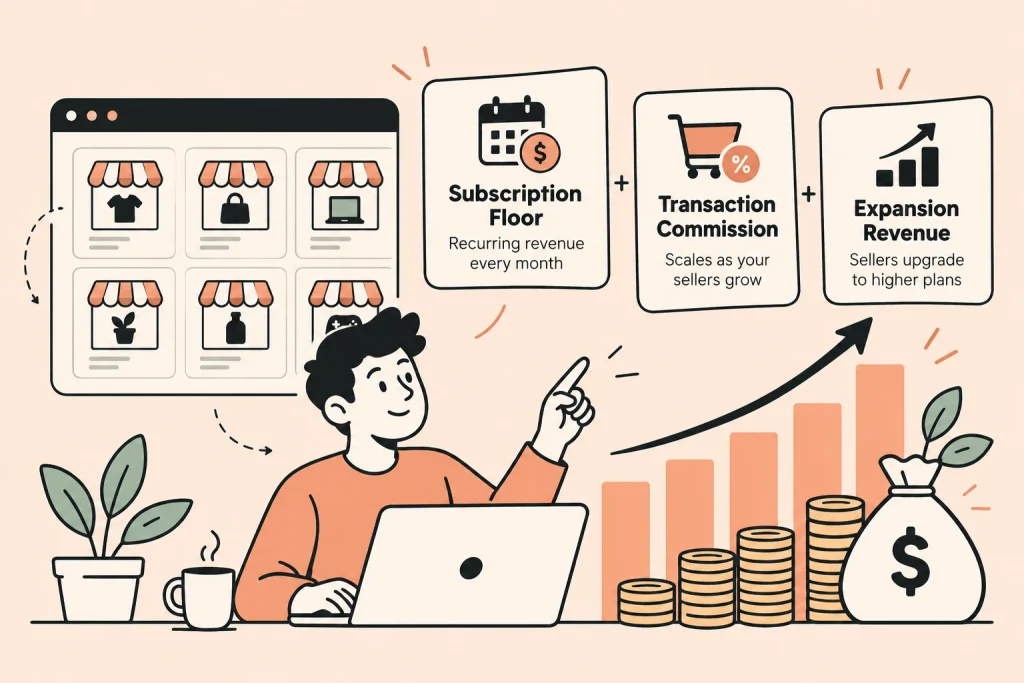
In short, the model earns on three fronts at once:
- A subscription floor. Recurring revenue that arrives every month regardless of transaction volume.
- Transaction commission. A cut that scales up automatically as your sellers grow.
- Expansion revenue. Sellers who upgrade to higher plans as they need more, with no extra acquisition cost to you.
The subscription floor is what makes the model stable; the commission and expansion are what make it scale.
That stability is also why a SaaS marketplace is easier to grow than a pure marketplace. A new marketplace has to solve the cold-start problem on both sides at once, with no revenue until transactions happen. A SaaS marketplace starts earning the moment a seller subscribes, which funds the slower work of building transaction volume. Owning the platform, rather than renting a white-label one, means that recurring revenue is yours to keep and reinvest. Investors track the biggest consumer marketplaces every year in lists like the a16z Marketplace 100, precisely because the two-sided model scales so well once it gets moving.
How to build a SaaS marketplace, step by step
Once the model, budget, and platform are decided, the build follows a predictable path. Work through these six steps top to bottom, since each one sets up the next.
Step 1: Pick your niche and the two sides
Decide who subscribes (the sellers or providers) and who transacts (the buyers). A focused niche is what lets a new marketplace compete with the giants, so resist the urge to serve everyone on day one.
Step 2: Choose your build route
Pick ready-made script, white-label, or custom using the cost and build-versus-buy sections above. For most founders the ready-made multi-tenant script wins on cost and speed.
Step 3: Set up hosting and install the platform
A standard VPS handles a new SaaS marketplace comfortably. Confirm the PHP version, database, and memory the platform needs before you buy, then install it and register your domain.
Step 4: Configure subscriptions, commission, and payments
Set your plan tiers, your commission rate, and connect the gateways your market uses, including the local ones. A guide to multi-currency ecommerce platforms is worth a look if your sellers span borders. Test a real subscription and a real transaction end to end before launch.
Step 5: Onboard your first sellers
A marketplace with no sellers has nothing for buyers, so recruit a launch cohort before you open the doors. Seed the platform so it does not look empty on day one.
Step 6: Launch, then drive both sides
Your ongoing job is supply and demand: bring sellers to subscribe and buyers to transact. Growth comes from keeping both sides in balance, not from chasing one.

Final thoughts
A SaaS marketplace is the model where you own the platform other businesses build on, earning a subscription from them and a commission from their customers. It blends the recurring revenue of SaaS with the scale of a marketplace, which is why it compounds better than either alone. The cost ranges from a weekend on a ready-made script to months on a custom build, and the features that touch money and trust must be native from the start.
For most founders, the fastest path to a real SaaS marketplace is a ready-made multi-tenant platform you own. If you are selling stores, Nazmart gives you the model out of the box; for a service or freelance marketplace, Xilancer does the same. And if your idea needs something bespoke, our custom SaaS development team can build it. Either way, the goal is the same: you own the platform, the data, and both revenue lines.
Frequently asked questions
1. What is a SaaS marketplace?
A SaaS marketplace is a platform where businesses subscribe to run their own storefront or service page, and you often also take a commission on the transactions that flow through it. It blends a subscription SaaS model with a two-sided marketplace, so you earn recurring fees and transaction fees at once.
2. How much does it cost to build a SaaS marketplace?
On a ready-made multi-tenant script, a realistic first year runs from the low hundreds to a couple of thousand dollars, covering the one-time license, hosting, and a domain. A white-label SaaS platform charges $200 to $2,000 or more per month. A custom build from scratch starts in the tens of thousands and takes three to six months.
3. What is the difference between SaaS and a marketplace?
A pure SaaS tool earns a subscription from one customer per account with no second side. A pure marketplace connects buyers and sellers and earns commission on transactions. A SaaS marketplace does both: sellers subscribe to run their space, and you also take a cut of their sales.
4. Which platform is best for building a SaaS marketplace?
For selling ecommerce stores, a multi-tenant script like Nazmart is purpose-built for the model. For a freelance or service marketplace, a script like Xilancer fits. White-label SaaS platforms are faster to start but you own nothing, and custom development is the most flexible but the most expensive.
5. Should scheduling, payments, and reviews be built into a SaaS marketplace?
Yes. Features that touch money or trust (payments, payouts, subscription billing, reviews, and scheduling for service marketplaces) should be native, because the platform does not work without them and they are expensive to retrofit. Cosmetic features can be added later.
6. Is a SaaS marketplace more profitable than a regular marketplace?
Usually, because it earns on two lines instead of one: a recurring subscription from sellers plus commission on transactions. A subscriber who grows pays you more every month without you holding inventory, which is why the model compounds better than a commission-only marketplace.