



To build a website with CMS means using a content management system to create and run your site without writing code. You pick a platform, choose a theme, add your content, and publish, all through a visual dashboard. It is the reason most of the web looks professional without every owner being a developer.
This is how the internet is actually built. About 71 percent of all websites run on a CMS, and WordPress alone powers roughly 42 percent of every site online, according to W3Techs data reported by GravityKit. If you want a site you control, a CMS is the practical path.
This guide shows you how to build a website with CMS in 2026, step by step: hosting, domain, choosing the right platform, themes, content, and launch. It also covers the best CMS options, what it costs, and the mistakes to avoid. Full disclosure: Nexelit, Nazmart, and MultiSaas mentioned below are our own products, and I have said so where they come up.
Key takeaways
- To build a website with CMS, you use a visual platform to create and manage your site with no coding.
- A CMS gives you full ownership and control, unlike a hosted website builder that locks you into its tools.
- The main steps are: get hosting, register a domain, choose a CMS, install it, pick a theme, add content, and launch.
- WordPress is the default for general sites, while purpose-built CMS platforms like Nexelit or a multi-tenant option like MultiSaas suit business and SaaS sites.
- If you need something bespoke, a custom CMS built by a development team is the alternative to an off-the-shelf platform.
Table of Contents
What is a CMS?
A content management system is software that lets you create, edit, and publish a website through a dashboard instead of code. It handles the technical parts (storing content, generating pages, managing users) so you focus on what your site says and looks like.
The appeal is control without complexity. You own the site, you can change anything, and you are not paying a monthly fee to a platform that holds your content hostage. That is the core reason people choose to build a website with CMS rather than a closed website builder.
Popular general CMS platforms include WordPress, Joomla, and Drupal. Beyond those, purpose-built CMS products exist for specific needs, like business websites, multi-tenant SaaS, or drag-and-drop site building, which we cover further down.
CMS vs website builder: which route is right?
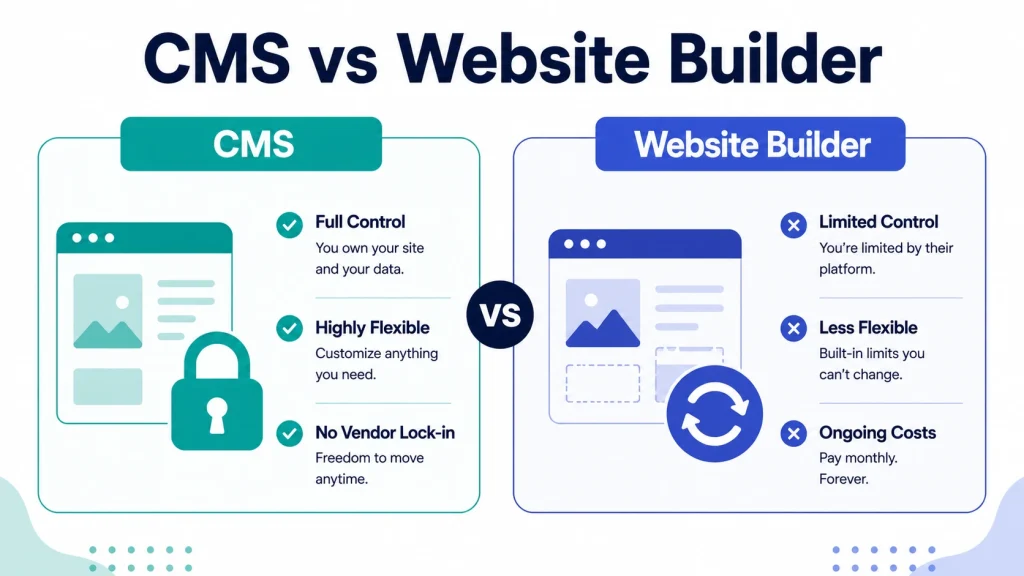
Before you build a website with CMS, it helps to know the alternative. A website builder (Wix, Squarespace) bundles hosting, domain, and design into one closed subscription. A CMS gives you the software to run on your own hosting, with full ownership.
| Factor | CMS | Website builder |
|---|---|---|
| Hosting and domain | You buy your own | Included in the subscription |
| Ownership | Full, you own the site and data | Limited, the platform owns the tools |
| Customization | Unlimited | Restricted to the builder’s features |
| Ongoing cost | Hosting and optional add-ons | Recurring monthly fee, forever |
| Best for | Businesses wanting control and growth | Simple sites, fastest possible start |
A website builder wins on speed and simplicity if you want a small site live today with zero maintenance. A CMS wins on ownership, flexibility, and long-term cost, which is why most serious businesses choose to build a website with CMS. If you are leaning toward a builder instead, our guide to the best website builders for small businesses compares the options.
Why build a website with CMS?
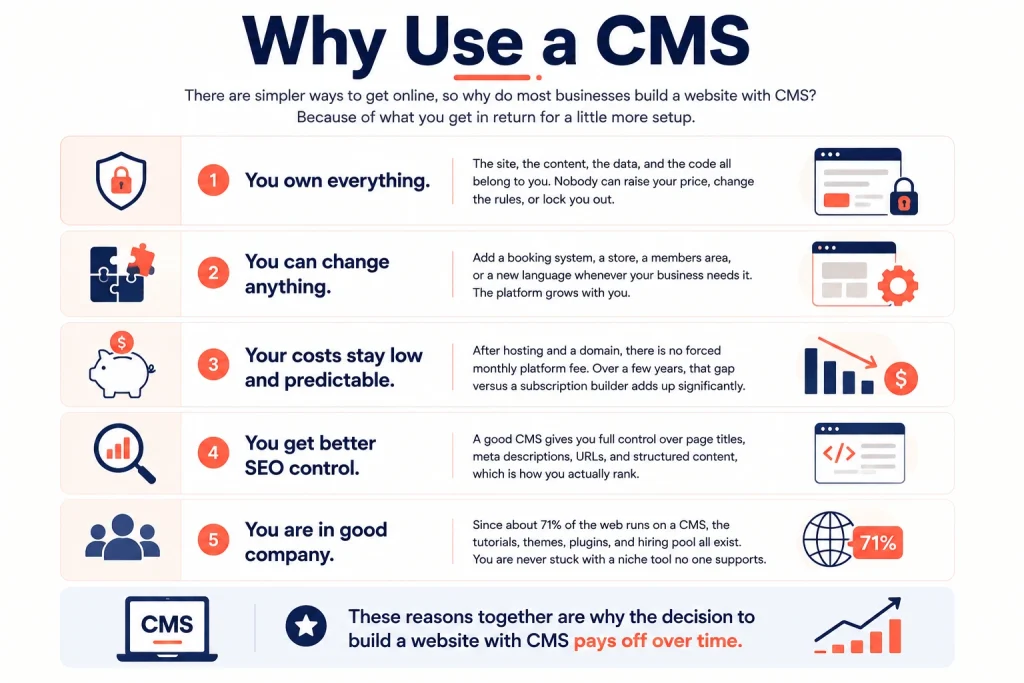
There are simpler ways to get online, so why do most businesses build a website with CMS? Because of what you get in return for a little more setup.
1. You own everything.
The site, the content, the data, and the code all belong to you. Nobody can raise your price, change the rules, or lock you out, which is the risk with a closed website builder.
2. You can change anything.
A CMS has no hard ceiling on customization. Add a booking system, a store, a members area, or a new language whenever your business needs it. When you build a website with CMS, the platform grows with you instead of boxing you in.
3. Your costs stay low and predictable.
After hosting and a domain, there is no forced monthly platform fee. Over a few years, that gap versus a subscription builder adds up significantly.
4. You get better SEO control.
A good CMS gives you full control over page titles, meta descriptions, URLs, and structured content, which is how you actually rank. Closed builders often limit this.
5. You are in good company.
Since about 71 percent of the web runs on a CMS, the tutorials, themes, plugins, and hiring pool all exist. You are never stuck with a niche tool no one supports. Those reasons together are why the decision to build a website with CMS pays off over time.
How to build a website with CMS: step by step
Here is the full process. Follow these seven steps and you can build a website with CMS even with no technical background. None of them require code, and most can be done in an afternoon once your content is ready. The order matters, since each step sets up the next, so work through them top to bottom rather than jumping ahead.
Step 1: Choose a hosting plan
The first thing you need to build a website with CMS is somewhere for it to live. Hosting is that place on the internet. When someone visits your URL, they load your site from your host. You have three common choices: shared hosting (cheapest, resources shared with other sites), VPS (a virtual private server that keeps your resources separate), and dedicated hosting (a whole server to yourself, for large sites). For most new sites, quality shared hosting or a small VPS is plenty. Check speed, uptime, and security before you buy.
Step 2: Register a domain name
Your domain is your address online, like yourbusiness.com. Pick something short, relevant to your brand, and easy to spell. Buy it from a reputable registrar. If your first choice is taken, adjust it slightly rather than settling for an awkward extension, and consider grabbing common variants so customers still find you if they mistype. A memorable domain is a small but real part of how you build a website with CMS that people actually remember and return to.
Step 3: Choose your CMS
This is the most important decision when you build a website with CMS, because it shapes everything else. Match the CMS to your goal: a blog or general site, a business website, an online store, or a multi-tenant SaaS. WordPress is the safe default for general use. For a business site with built-in tools and a drag-and-drop builder, a purpose-built CMS like Nexelit (our own product) is designed for exactly that. We cover more options in the next section.
Step 4: Install the CMS
Once you have hosting and a CMS chosen, install it on your server. This is the point where you actually build a website with CMS rather than just planning one. Most quality hosts offer one-click installers for popular platforms, and purpose-built products include clear setup docs. After the core install, add any plugins or modules you need, since these extend what your site can do.
Step 5: Pick and customize a theme
The theme is your site’s design, and it is where building a website with CMS starts to feel real. A good CMS gives you a library of themes and a visual editor, so you can build your layout without touching code. Choose a theme that fits your brand and, more importantly, your visitors: clear navigation, fast loading, and a layout that guides people to what they need. Then adjust colors, fonts, logo, and homepage sections to make it yours.
Step 6: Add content and set up SEO
Now fill your site with pages: home, about, services or products, and contact. Content is where you build a website with CMS that actually earns traffic, not just one that exists. Write clearly for real visitors, and set up the on-page SEO your CMS provides, page titles, meta descriptions, image alt text, and clean URLs. A CMS with built-in SEO tools and multi-language support makes this far easier. Good content is what actually brings traffic once the site is live.
Step 7: Add integrations and launch
Finally, connect the tools your visitors expect: social login, contact forms, a newsletter signup, payment gateways if you sell, and analytics so you can measure what works. Test everything on desktop and mobile, then publish. Congratulations, you have built a website with CMS.
Best CMS options to build your website
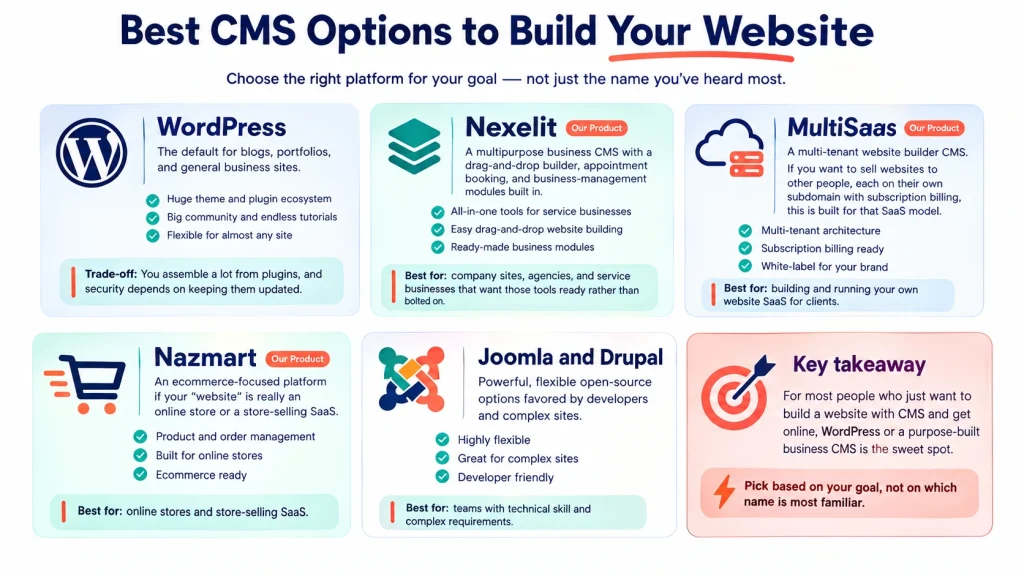
The platform you choose to build a website with CMS shapes what your site can do, so match it to your goal rather than to whichever name you have heard most. Here are the strongest options, with honest notes on where our own products fit.
- WordPress. The default for blogs, portfolios, and general business sites. Huge theme and plugin ecosystem, big community, endless tutorials. The trade-off is that you assemble a lot from plugins, and security depends on keeping them updated.
- Nexelit (our product). A multipurpose business CMS with a drag-and-drop builder, appointment booking, and business-management modules built in. It suits company sites, agencies, and service businesses that want those tools ready rather than bolted on. Disclosure: this is our own product.
- MultiSaas (our product). A multi-tenant website builder CMS. If you want to sell websites to other people, each on their own subdomain with subscription billing, this is built for that SaaS model, not a single site. Disclosure: our own product.
- Nazmart (our product). If your “website” is really an online store or a store-selling SaaS, Nazmart is our ecommerce-focused platform. Disclosure: our own product.
- Joomla and Drupal. Powerful, flexible open-source options favored by developers and complex sites. Steeper learning curve than the others, better suited to teams with technical skill.
For most people who just want to build a website with CMS and get online, WordPress or a purpose-built business CMS is the sweet spot. Pick based on your goal, not on which name is most familiar, since the best platform to build a website with CMS is simply the one that fits what you are making.
What kinds of websites can you build with a CMS?
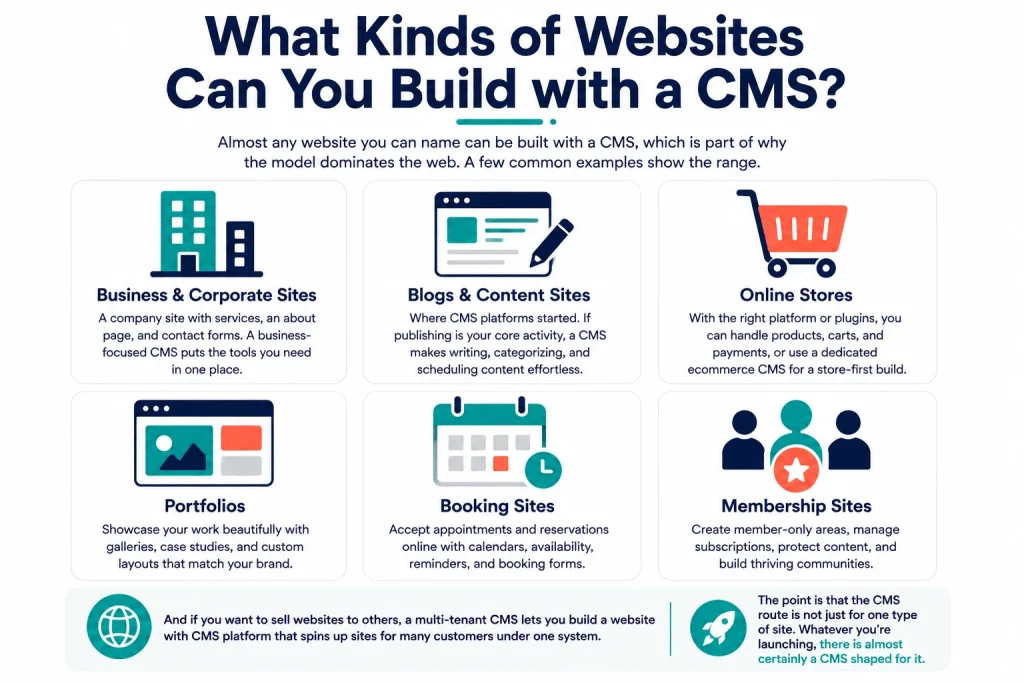
Almost any website you can name can be built with a CMS, which is part of why the model dominates the web. A few common examples show the range.
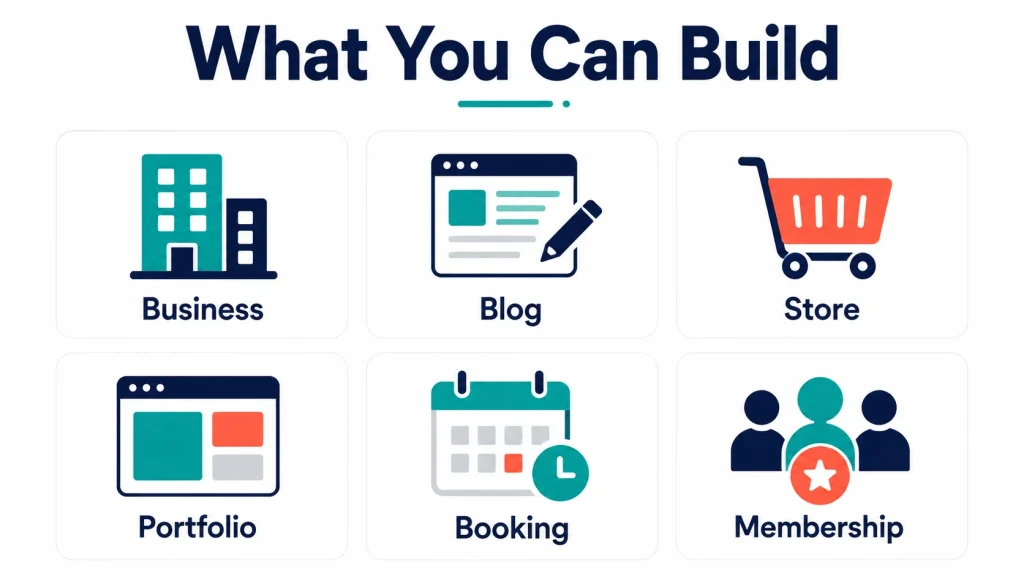
Business and corporate sites are the most common use. A company site with services, an about page, and contact forms is a natural fit, and a business-focused CMS puts the tools you need in one place.
Blogs and content sites are where CMS platforms started. If publishing is your core activity, a CMS makes writing, categorizing, and scheduling content effortless.
Online stores work too. With the right platform or plugins, you can build a website with CMS that handles products, carts, and payments, or use a dedicated ecommerce CMS for a store-first build.
Portfolios, directories, booking sites, and membership sites all fit as well, each served by the right theme and modules. And if you want to sell websites to others, a multi-tenant CMS lets you build a website with CMS platform that spins up sites for many customers under one system.
The point is that the CMS route is not just for one type of site. Whatever you are launching, there is almost certainly a CMS shaped for it, which is why deciding to build a website with CMS is rarely the wrong call.
What about building a custom CMS?
Some people searching how to build a website with CMS actually want to build the CMS itself, a custom content management system for a specific need that no off-the-shelf platform meets. That is a different project.
Most people who want to build a website with CMS should use a ready-made platform, but a custom CMS makes sense when your requirements are unusual: a specific content workflow, deep integration with internal systems, strict data or compliance rules, or a product you plan to sell. The upside is a platform shaped exactly to your needs with no bloat. The downside is cost and time, since you are building software rather than installing it.
If that is your path, it is a development project, not a weekend setup. Our custom SaaS and software development team builds bespoke CMS and web platforms on modern stacks. For most sites, though, an existing CMS is faster, cheaper, and more than enough. Only go custom when a ready-made platform genuinely cannot do the job.
What it costs and how long it takes
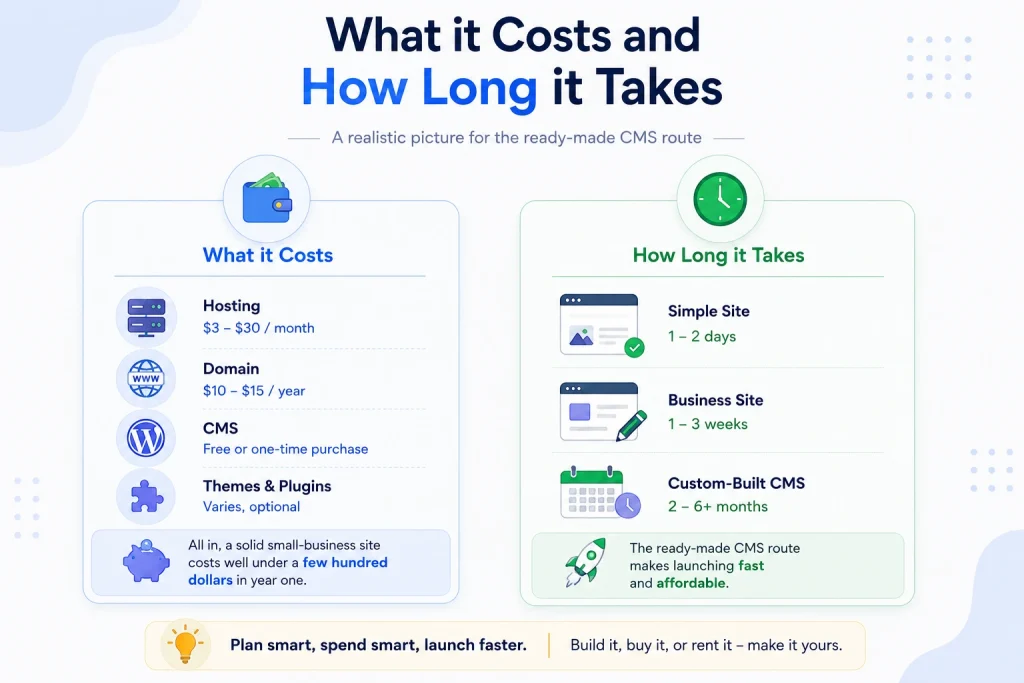
The cost to build a website with CMS is one of the main reasons the model is so popular: it is one of the cheapest ways to get a professional site online. Here is a realistic picture for the ready-made route, so you can budget before you start.
Hosting runs roughly 3 to 30 dollars a month depending on your host and traffic. A domain is about 10 to 15 dollars a year. The CMS itself is free (WordPress) or a one-time purchase for a premium product. A premium theme, if you want one, is a small one-time cost, and optional plugins or modules vary. All in, a solid small-business site costs well under a few hundred dollars in year one.
On time: a simple site can be live in a day or two once you have your content ready. A fuller business site with custom design and several pages takes one to three weeks. A custom-built CMS is a different scale entirely, measured in months. The ready-made CMS route is what makes launching fast and affordable.
Mistakes to avoid
A few errors trip up first-timers who build a website with CMS, and each one is easy to avoid once you know it is coming. Dodge these.
- Choosing the wrong CMS for the goal. A blog platform is not a store, and a single-site CMS is not a SaaS builder. Match the tool to what you are actually building.
- Ignoring hosting quality. Cheap, slow hosting makes even a great site feel broken. Speed and uptime matter more than saving a few dollars a month.
- Skipping security and updates. A CMS you never update is a security risk. Keep the platform, themes, and plugins current.
- Forgetting mobile. Most visitors arrive on a phone. Check every page on mobile before you launch.
- Neglecting SEO from the start. Set page titles, meta descriptions, and clean URLs as you build, not months later. It is far easier to do upfront.
- Overloading with plugins. Every add-on is a potential slowdown or vulnerability. Install only what you truly need.
Final thoughts
Learning how to build a website with CMS is the most practical skill for getting a professional site online in 2026 without hiring a developer for everything. Once you have done it once, you can build a website with CMS again and again, for yourself or for clients, in a fraction of the time. The steps are straightforward: hosting, domain, choose your CMS, install, theme, content, and launch. A CMS gives you ownership and control that closed website builders cannot match, which is why most of the web runs on one.
If you want a business-ready CMS with a drag-and-drop builder and the tools already built in, explore Nexelit, our own multipurpose website CMS. And if your needs are truly bespoke, our custom software development team can build a CMS around them. Either way, you build a website with CMS that you genuinely own, on your terms.
Frequently asked questions
Do I need coding skills to build a website with CMS?
No. That is the whole point of a CMS. You create and manage the site through a visual dashboard, which is why anyone can build a website with CMS. You only need a developer for deep custom features or a fully custom build.
Which CMS is best for beginners?
WordPress for general sites, thanks to its huge community and tutorials. For a business site with built-in tools and drag-and-drop building, a purpose-built CMS like Nexelit is beginner-friendly too.
How much does it cost to build a website with CMS?
Usually well under a few hundred dollars in the first year: hosting (a few dollars a month), a domain (around 10 to 15 dollars a year), and a free or one-time-purchase CMS. Custom-built CMS platforms cost far more.
CMS or website builder, which should I choose?
Choose a CMS if you want ownership, flexibility, and lower long-term cost. Choose a website builder if you want the simplest possible setup for a small site and do not mind a recurring fee and less control.
Can I move my site to another host later?
With a self-hosted CMS, yes. Because you own the files and database, you can migrate to a new host. This portability is a key advantage over closed website builders.
How long does it take to build a website with CMS?
A simple site can be live in a day or two with your content ready. A fuller business site takes one to three weeks. A custom CMS build takes months.
Is it cheaper to build a website with CMS or hire an agency?
Building it yourself with a CMS is far cheaper, usually under a few hundred dollars in year one. Hiring an agency costs more but saves you the time and learning curve, and is worth it for complex or high-stakes sites.