



The founder of a 12-person agency I worked with last year was paying about $890 per month for the software running her business. CRM, HR, project management, accounting, help desk, payroll. Six tools, each charging per user per month, all of them solid, most of them used at 20 to 30 percent of capacity. Her annual software bill was over $10,000 and growing. When I sat down with her and mapped what her team really used, the answer was painful. The best free business software available in 2026 would have done eighty percent of the same work at zero cost. Most founders I talk to are running the same calculation in their head without doing the math.
The category of small business software has changed. Five years ago, “free tier” usually meant a stripped demo with hard user caps and aggressive upgrade pressure. Today, several genuinely complete free options exist for each common pillar of a small business operation. Combined into a stack, the best free business software for small business can run a 10 to 50 person company without a single recurring subscription.
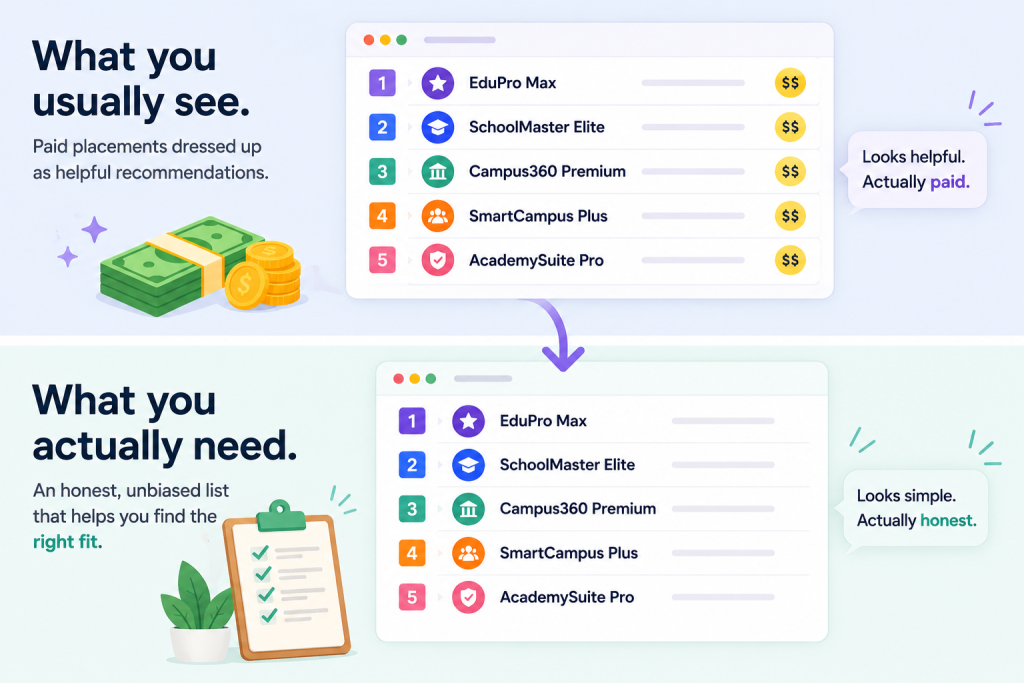
This piece walks through the six pillars of the modern small business software stack, the free option I recommend for each, the catches to watch for in “free” pricing, and when to upgrade to paid. I call the framework the 6-Pillar Small Business Free Stack. It is what we use at Xgenious when an SMB founder asks us to evaluate their tooling.
The six pillars: school and education management (for educational businesses), CRM and sales pipeline, HR and people ops, customer support, project management, and accounting and invoicing. Each one has a credible free option. None of them require trade-offs that hurt a small business in the 5 to 50 person range.
Table of Contents
Why “best free business software” lists usually disappoint
Most “best free business software” lists online are sponsored content disguised as recommendations. The pattern is similar to the “best school management software” pattern: vendors pay for placement, affiliate commissions distort the order, and the article’s #1 pick is whoever wrote the biggest check that quarter. The reader walks away with a list of expensive freemium tools rather than genuinely complete free software.
The three problems with most “best free business software” lists:
- They mix freemium and genuinely free. A “free tier” with a 3-user cap is not the same as software that is free at any scale. Listicles rarely make the distinction clear.
- They ignore integration. Six free tools that do not talk to each other create more overhead than one paid suite. The reader saves on license fees and loses the time to manual data sync.
- They skip the upgrade triggers. Free software has natural ceilings (user counts, feature gates, support limits). Most lists do not say when to expect the upgrade pressure to hit.
Honest comparison of best free business software needs three things the typical listicle skips. A clear definition of what “free” means for each pick. Specific notes on which tools integrate with which. And honest upgrade triggers so the reader knows when free stops being enough.
I do not promise this piece is perfect. I promise the picks are genuinely free at typical small business scale, the integration notes are real, and the upgrade triggers are based on what actually breaks rather than what the vendor’s sales team wants to push.
For broader market context, G2’s small business software category and Gartner Digital Markets research both supplement vendor marketing with user-driven data.
What “free” means in business software
“Free” in business software has at least five different meanings, and confusing them is how founders end up disappointed. Knowing which kind of free you are looking at saves the migration pain six months later when the wrong kind of free hits its limit.
The five flavours of “free” in business software:
- Free forever, no caps. The platform is free without user limits, ticket caps, or feature gates. Rare but real. The clean version is what the best free business software offers.
- Free up to a user cap. Free for the first N users (commonly 3, 5, 10, 25), paid above that. Useful for very small teams but creates upgrade pressure as you grow.
- Free with feature gates. The basic features are free, the useful features are paid. The free version is functional but visibly limited. Often the case for “freemium” saas aimed at upselling.
- Free with ads. The platform shows ads inside the interface. Functional, but the ads create a visible reminder that the tool is not really yours.
- Free open-source, self-hosted. The code is free, you pay for hosting and maintenance. Genuinely zero license cost but real operational cost.
The best free business software for most small businesses sits in the first category: free forever, no caps, no ads, no self-hosting overhead. The Genius free software suite (School Management, CRM, HRM, Support) falls into this category. So do a few other vendors. The list narrows quickly when you filter strictly for free forever.
The catch sheet question to ask every free vendor: what happens at 50 users, at 1,000 records, at 10,000 transactions, at year three of usage? If the answer involves a paywall or feature lock, that vendor is freemium, not free. Both can work, but the buyer should know which they are picking.
The 6-Pillar Small Business Free Stack framework
The 6-Pillar Small Business Free Stack is six categories of software every small business uses, with one or two free options recommended per category. I built the framework after watching too many SMB founders piece together their software stack one tool at a time without thinking about the whole.
The six pillars:
- School and education management
- CRM and sales pipeline
- HR and people ops
- Customer support
- Project management
- Accounting and invoicing
Most small businesses use four to six of these depending on industry. A consultancy might use CRM, HR, project management, and accounting. A small school might use all six (education plus the rest). A solo founder might use CRM and accounting only.
The framework is not about installing all six immediately. It is about knowing the six pillars exist, picking the ones your business needs, and choosing the best free business software for each one with full awareness of trade-offs.
I order the pillars by how universally they apply rather than by importance. School management is first because it leads the Genius product list, but most small businesses can skip it. CRM, HR, support, project management, and accounting apply to almost every business. Pick the pillars that match your operation and ignore the rest.
The stack is meant to be assembled, not adopted wholesale. The best free business software for your business is the subset of the six pillars you actually use, integrated where possible.
Pillar 1: School and education management
Pillar 1 applies if your business is in education: a private school, training centre, coaching academy, tuition centre, or any organisation that manages students, teachers, parents, fees, and report cards. If your business is not in education, skip to Pillar 2.
For educational businesses, the best free business software for school management is Genius School Management. It covers the ten core modules every school uses: student records, attendance, timetables, exams, fees, parent portal, teacher dashboard, library, online classes, transport, and reporting. Free without per-student limits, suitable for schools from 50 to several thousand students.
What it handles:
- Student information system with full profiles and document storage
- Daily attendance with mobile check-in for teachers
- Timetable building and exam scheduling
- Fee management with online payment integration
- Parent portal with attendance, grades, and messaging
- Teacher dashboard with daily class views
- Library, transport, and online class integration
The trade-off, as covered in detail in our free school management software guide and the broader best school management software comparison, is state-specific compliance reporting for US districts that have heavy regulatory requirements. For everyone else, Genius School Management is the strongest free pick.
Product details on the Genius School Management page. Skip to Pillar 2 if education is not your category.
Pillar 2: CRM and sales pipeline
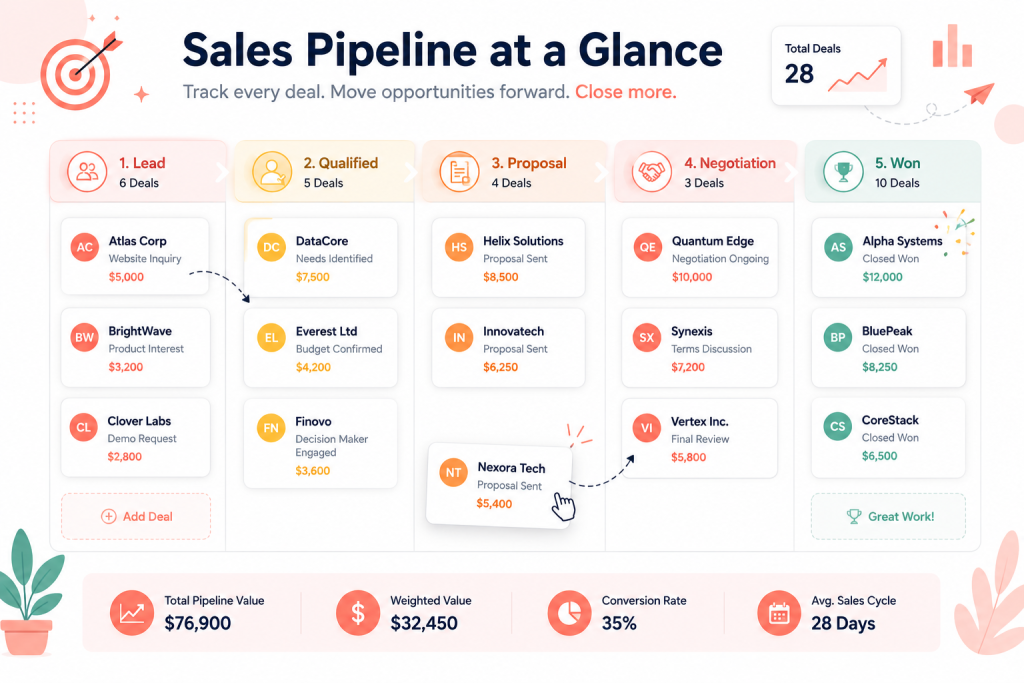
CRM is the pillar most small businesses underestimate and regret later. A small business without a CRM stores customer information in inboxes, spreadsheets, and people’s heads. That works at 10 customers, falls apart at 100, and becomes an existential problem at 1,000. The best free business software for CRM gives a small business the structure to manage growth without paying enterprise prices.
For CRM, the strongest free options are Genius CRM, HubSpot CRM Free, and Zoho CRM Free.
Genius CRM is our offering at Xgenious, free without contact limits. Suitable for sales teams of 1 to 50 people. Covers contact management, sales pipeline, email integration, task tracking, and reporting. Full details on the Genius CRM page.
HubSpot CRM Free is the most polished free CRM in the market. Includes unlimited users and 1 million contacts. The catch is that the marketing automation, advanced reporting, and email-marketing features are gated behind paid tiers. For pure CRM (contacts, deals, pipeline), HubSpot Free is excellent. For an integrated marketing-plus-sales platform, the upgrade pressure kicks in.
Zoho CRM Free supports up to 3 users on the free tier. Good if you already use other Zoho tools. Tight user cap makes it less suitable for growing teams.
What to look for in any free CRM:
- Unlimited contacts (or a generous limit you will not hit)
- Deal pipeline with custom stages
- Email integration so messages are logged automatically
- Task and activity tracking
- Reporting on pipeline value and conversion rates
For CRM specifically, the question is rarely “is free enough” (it almost always is for a small business under 50 sales users). The question is which best free business software CRM you will still want to use in three years.
Pillar 3: HR and people ops
HR is the pillar most small businesses overspend on. The big paid HR platforms (BambooHR, Gusto, Rippling) compete hard for 50 to 500 person companies. Under 30 employees, most of those platforms are overkill. The best free business software for HR covers what a small business uses every week without the enterprise feature bloat.
For HR, the strongest free options are Genius HRM, Zoho People Free, and OrangeHRM Open Source.
Genius HRM is our offering at Xgenious, free without per-employee limits. Covers employee records, attendance, leave management, payroll basics, performance reviews, recruiting, document management, and compliance reporting. Suitable for businesses from 5 to 200 employees. Full details on the Genius HRM page. For the deeper feature audit, see our free HR software for small business guide.
Zoho People Free supports up to 5 employees. Strong if you already use Zoho’s broader ecosystem. Tight cap limits it to very small teams.
OrangeHRM Open Source is a fully self-hosted option with strong module coverage. Suitable for technical teams comfortable with self-hosting.
What to look for in free HR software:
- Employee directory with custom fields
- Attendance and leave management
- Document storage and e-signature
- Payroll calculation (filing usually needs a separate paid service)
- Performance review structure
The detailed seven-platform comparison sits in our best HR software for small business guide. For most small businesses, free HR covers the eight functions that matter, and the upgrade to paid only makes sense around 50 to 100 employees when payroll complexity and benefits administration exceed what free options handle.
Pillar 4: Customer support
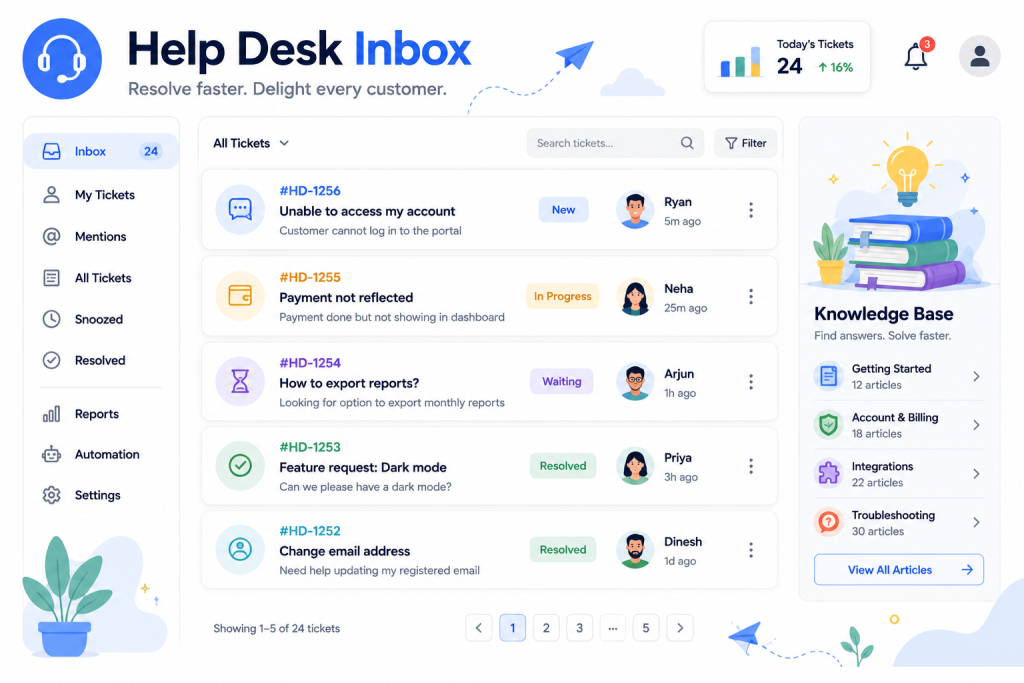
Customer support is the pillar where small businesses overpay the most relative to their actual usage. A 5-person business handling 100 tickets a week is paying $200 to $400 a month for Zendesk capacity they will never touch. The best free business software for help desk handles that volume cleanly at zero cost.
For customer support, the strongest free options are Genius Support, HubSpot Service Hub Free, Zoho Desk Free, and osTicket.
Genius Support is our offering at Xgenious, free without ticket or agent limits. Covers multi-channel intake, automation, knowledge base, customer portal, and reporting. Suitable for support teams from 1 to 50 agents. Full details on the Genius Support page. The detailed nine-platform comparison sits in our free help desk software guide.
HubSpot Service Hub Free is part of HubSpot’s free CRM. Includes ticketing, knowledge base, and live chat. Strong if you already use HubSpot for marketing and sales.
Zoho Desk Free supports up to 3 agents. Good if you already use Zoho’s broader ecosystem.
osTicket is a fully open-source ticketing system. Self-hosted, reliable, used by thousands of small support teams globally.
What to look for in free help desk software:
- Generous or unlimited ticket volume
- Multi-channel intake (email, web form, live chat)
- Automation and rules-based routing
- Knowledge base
- Customer portal with branding
For most small businesses handling under 500 tickets per week, free help desk software covers the entire workflow. Upgrade triggers are usually multi-tier SLAs, advanced automation, and 24/7 vendor support.
Pillar 5: Project management
Project management is the pillar where the free options come from third-party vendors rather than Genius. The category is dominated by ClickUp, Trello, Asana, and Notion at the free end. Each has a generous free tier suitable for small teams.
The best free business software for project management depends on your team’s working style.
ClickUp Free is the most feature-complete free tier. Unlimited users, generous task limits, multiple views (list, board, calendar, Gantt). The trade-off is feature density that can overwhelm small teams.
Trello Free is the simplest. Kanban boards, drag-and-drop tasks, suitable for visual workflow management. Limits on automations and integrations on the free tier.
Asana Free supports up to 15 users with unlimited tasks. Strong for task-heavy teams. Less feature-rich than ClickUp on the free tier.
Notion Free is a hybrid: docs, databases, kanban, calendar all in one. Suitable for teams that want one tool for project management plus notes plus light wiki.
What to look for in free project management:
- Generous user limit (or unlimited)
- Multiple views (list, board, calendar)
- Task assignment and due dates
- File attachments and comments
- Integration with chat (Slack, Teams) and calendar
For most small businesses, ClickUp Free or Notion Free are the strongest picks. Trello is simpler but more limited. Asana is somewhere in the middle. None of them require paying until the team is well past 25 to 50 people. As a category, the best free business software for project management has caught up with paid options for any team under 50.
Pillar 6: Accounting and invoicing
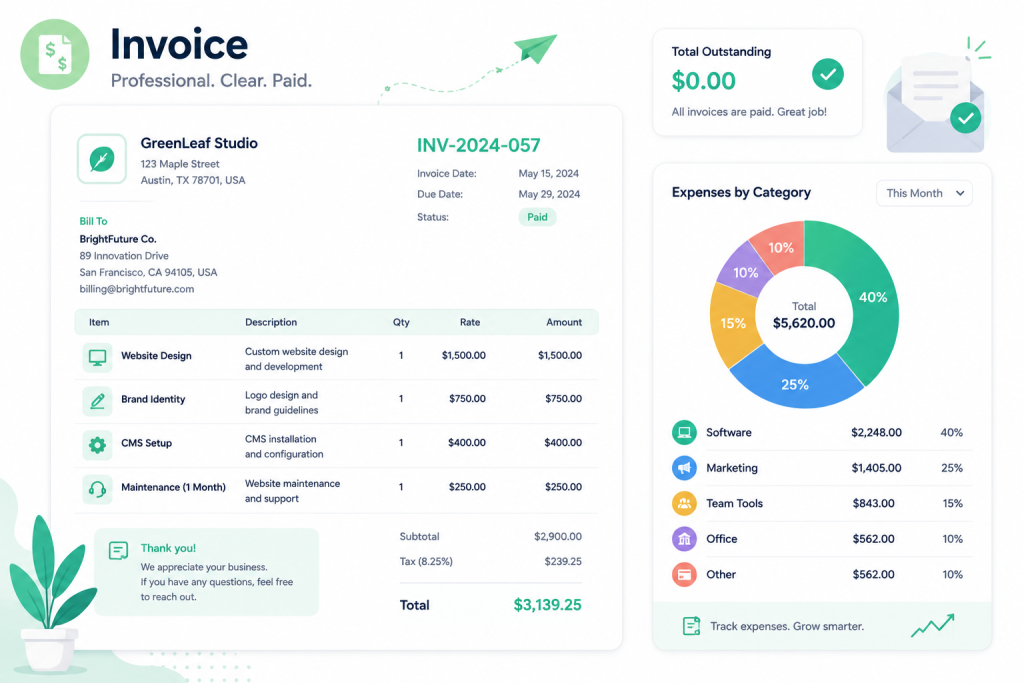
Accounting is the pillar most small businesses delay setting up properly and pay for later. A business without proper accounting cannot answer basic financial questions (gross margin, runway, customer profitability) and ends up making bad decisions on instinct. The best free business software for accounting handles the small business basics at zero cost.
For accounting and invoicing, the strongest free options are Wave, Zoho Invoice, and Akaunting.
Wave is the most-used free accounting platform for small businesses. Includes invoicing, expense tracking, bookkeeping, and bank reconciliation. Free with no user limits. The platform makes money on optional paid features (payroll, payment processing).
Zoho Invoice is a free invoicing tool from Zoho’s ecosystem. Strong if you already use other Zoho products. More focused on invoicing than full bookkeeping.
Akaunting is an open-source accounting platform, self-hosted. Strong for technical teams who want full control. Free license, real operational cost for hosting.
What to look for in free accounting software:
- Multi-currency invoicing if you have international clients
- Bank reconciliation for matching transactions
- Expense tracking with receipt capture
- Basic financial reports (P&L, balance sheet, cash flow)
- Tax handling appropriate to your jurisdiction
For most small businesses under 50 transactions per month, Wave is the easiest entry point. As volume grows, paid platforms like QuickBooks Online or Xero become worth the upgrade for advanced reporting, payroll integration, and accountant collaboration.
For broader business technology coverage, Forbes small business technology tracks how SMB software adoption shifts year over year.
How to assemble the best free business software stack without disconnected tools
The biggest mistake small businesses make with free software is treating each pillar as an isolated tool. Six free tools that do not talk to each other create more administrative overhead than one paid suite. The savings on license fees get eaten by manual data sync, duplicate data entry, and lost context across tools.
Assembling the best free business software stack means picking tools that integrate where it matters most. Three integration relationships matter more than the others:
CRM to help desk. When a support agent opens a ticket, they should see the customer’s account tier, recent purchases, and conversation history without switching tools. Genius CRM and Genius Support share data natively, which solves this. HubSpot CRM Free and HubSpot Service Hub Free do the same. Mismatched tools (Zoho CRM plus Freshdesk, for example) require manual lookup every time.
HR to accounting. Payroll exports from the HR system should feed accounting without retyping. Genius HRM exports clean payroll registers that Wave or QuickBooks can import. The clean version is automated. The lazy version is a CSV that someone reformats every cycle.
Project management to time tracking to invoicing. If you bill clients by the hour, time logged in project management has to feed invoicing without manual transcription. The best free business software stack for agencies wires this together with Zapier or native integrations where available.
The other integration relationships matter less for most small businesses. Marketing automation, ecommerce, ERP, all of these are nice but not foundational for the small business pillar stack.
The pragmatic rule is: pick the pillar with the most integration friction first, build that integration cleanly, and then layer the other pillars around it. For most service businesses, that pillar is CRM. For most product businesses, it is accounting. Start there.
Cost breakdown: best free business software versus the paid stack
Honest comparison shows just how much a small business can save by switching from a paid stack to a best free business software stack. The numbers vary by company size, but the pattern is consistent.
For a 15-person small business, a typical paid stack costs roughly:
- CRM (HubSpot Starter or Pipedrive Essential): $20 to $25 per user per month, around $300 to $375
- HR (BambooHR Essentials): $6 per employee per month, around $90
- Help desk (Zendesk Suite Team): $55 per agent per month, assume 3 agents, around $165
- Project management (ClickUp Business or Asana Premium): $12 per user per month, around $180
- Accounting (QuickBooks Online Plus): $90 per month flat
- School management (if applicable): skip for non-education
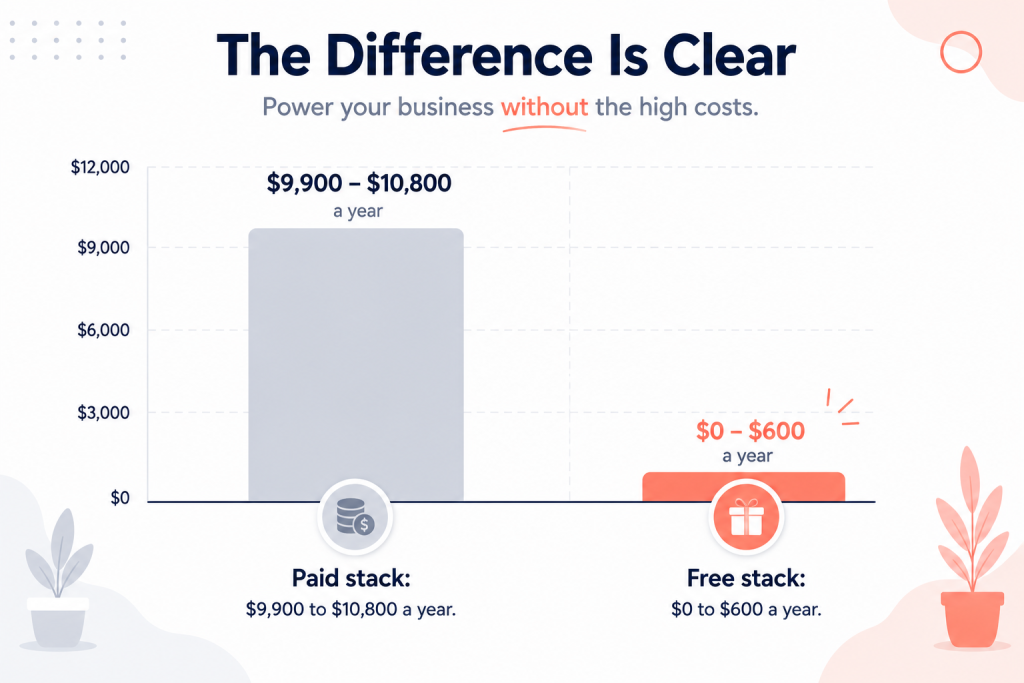
Total monthly: $825 to $900 per month for a 15-person business. Annual: $9,900 to $10,800.
The free equivalent stack:
- CRM (Genius CRM or HubSpot CRM Free): $0
- HR (Genius HRM): $0
- Help desk (Genius Support or HubSpot Service Hub Free): $0
- Project management (ClickUp Free or Asana Free): $0
- Accounting (Wave): $0 (or small fees for payment processing if used)
Total monthly: $0 to $50 depending on payment processing usage. Annual: $0 to $600.
The savings are roughly $9,000 to $10,000 per year for a 15-person business switching from paid to free. That money funds two months of an additional hire, six months of a marketing campaign, or a year of customer-facing tooling improvements. It is real money that goes to growth instead of software.
The catch is the integration cost and the upgrade-trigger cost. Free stacks that need manual data sync cost time. Free stacks that hit user caps as you grow create migration pressure at exactly the wrong moment. The best free business software for a small business is the stack that scales without forcing a migration until you genuinely need paid features.
Common mistakes when picking best free business software
A few mistakes show up repeatedly when small businesses pick best free business software.
1. The first is treating “free tier” the same as “free forever.” A 3-user free tier is not the same as software that is free at any scale. Read the upgrade pages of every free tool before committing. The vendors that build genuinely complete free options state it clearly. The vendors that build freemium upsell funnels hide the upgrade triggers.
2. The second mistake is picking the best free business software in each category individually without thinking about integration. The best free CRM plus the best free help desk plus the best free HR sounds optimal until you realise none of them talk to each other and you are spending four hours a week manually syncing data. Better to pick a slightly less polished tool that integrates than the best standalone tool that does not.
3. The third is underestimating support quality. Paid software comes with vendor support. Free software comes with community forums and email response times measured in days. For most small businesses this is fine, but it bites at the worst moments. Plan for the times when something breaks and you cannot wait three days for an answer.
4. The fourth is migration planning. Free tools are easier to switch out of than paid ones (no contracts), but switching always has data migration cost. Pick free tools whose data exports cleanly. Avoid platforms with proprietary formats that make it expensive to leave.
5. The fifth is over-buying free features. The best free business software is the one that does what you need cleanly, not the one with the longest feature list. A free CRM with 200 features but a clunky pipeline view loses to a free CRM with 60 features and a clean pipeline view every time, because the second one gets used.
When to upgrade from best free business software to paid
Free software has natural upgrade triggers. Knowing them in advance helps you pick the best free business software with the right migration path.
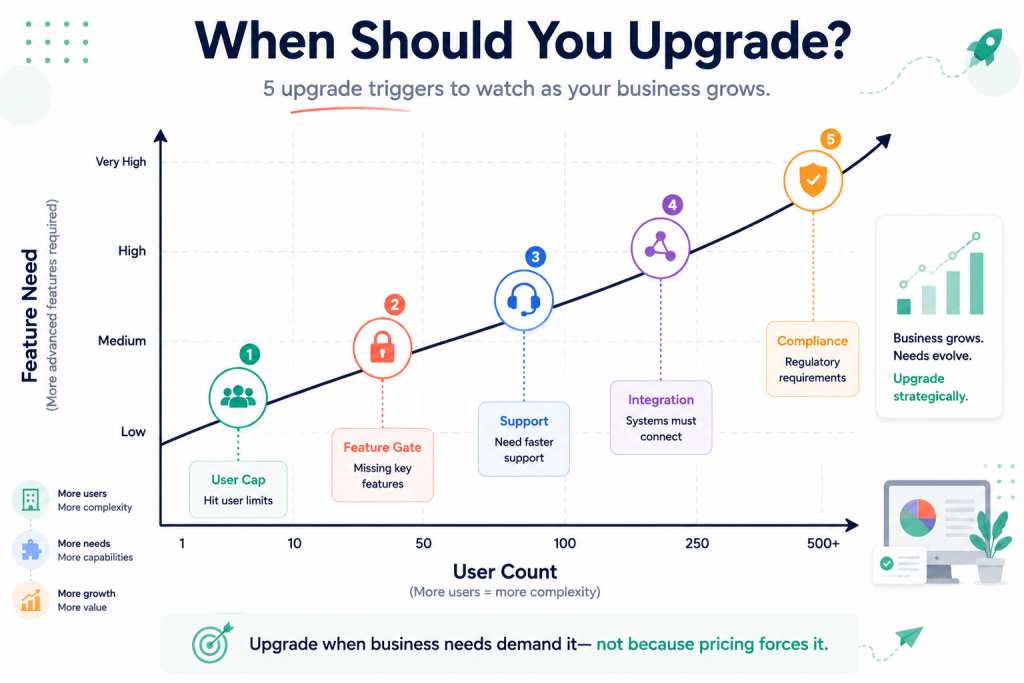
The five common upgrade triggers:
User count caps. Free tiers that cap at 5, 12, or 25 users will force an upgrade as the team grows. Pick free options without user caps if you expect to grow past those numbers.
Feature gates. Free tiers that lock advanced reporting, automation, or specific modules behind paid will force an upgrade when you need those features. Common upgrade triggers: marketing automation in CRM, payroll filing in HR, custom SLAs in help desk.
Support response time. Free options usually offer community or email-with-week-response support. If your business reaches a stage where downtime costs real money per hour, paid support with response-time SLAs becomes worth the cost.
Integration depth. Free options have decent but not deep integrations. As your business uses more specialised tools (industry-specific CRM, niche accounting, complex ecommerce), the integration gap may force a move to paid platforms with deeper ecosystems.
Compliance requirements. Industries with heavy regulation (healthcare, finance, education in regulated jurisdictions) sometimes need certifications (HIPAA, SOC 2, FERPA) that free options do not provide. This is the clearest upgrade trigger because the regulator decides for you.
The pillar to upgrade first depends on your business. For most service businesses, accounting upgrades first when you start needing accountant collaboration tools. For most product businesses, customer support upgrades first when ticket volume crosses 500 per week. For most growing companies, HR upgrades when headcount crosses 50 and benefits administration gets complex.
The best free business software stack is one you can stay on for years and only upgrade specific pillars when the triggers actually fire.
Final word on the best free business software
Most small businesses could move to the best free business software available today and save five to ten thousand dollars per year without losing meaningful functionality. The blocker is rarely the software. The blocker is the auto-renewing contracts and the assumption that paid means better.
Run the 6-Pillar Small Business Free Stack on your current setup. Map which pillars your business uses, which tools cover them today, and what they cost. Then compare the equivalent free stack. The savings tend to be bigger than founders expect. For a 15-person business, the gap is usually $8,000 to $12,000 per year.
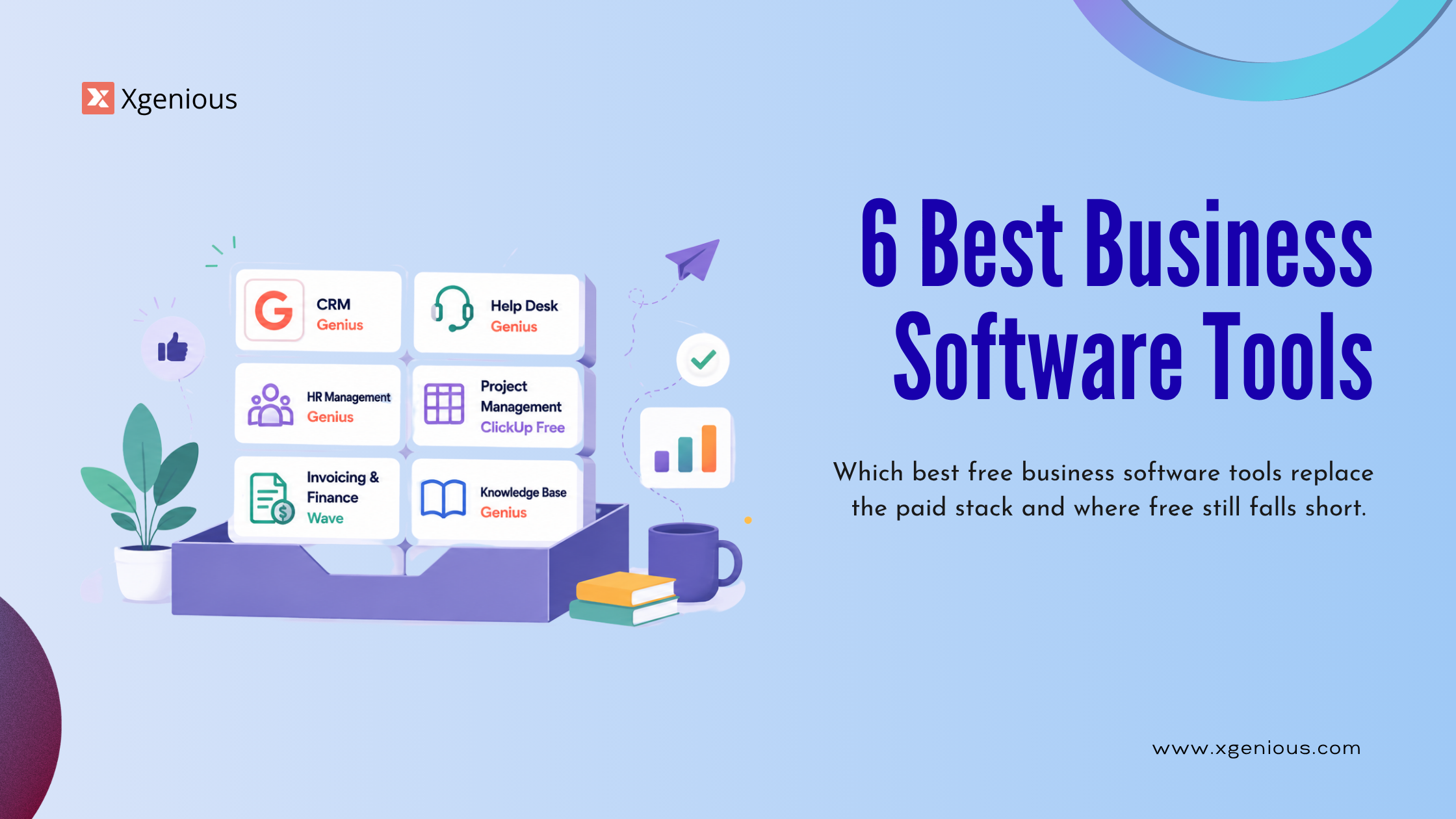
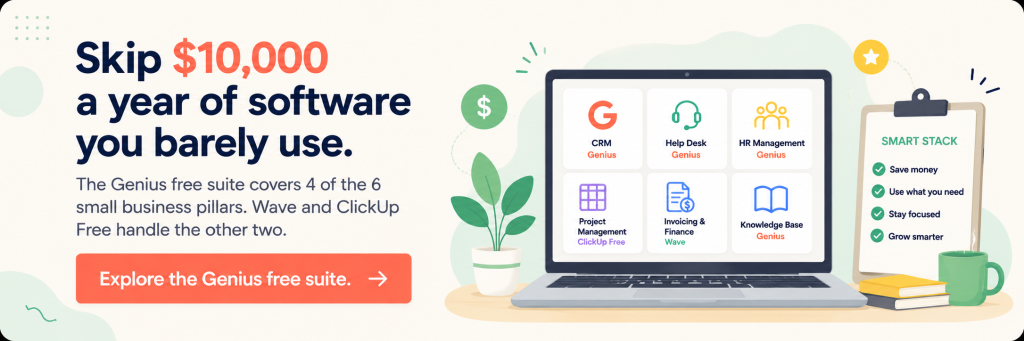
The Genius free software suite covers four of the six pillars: school and education management, CRM and sales pipeline, HR and people ops, and customer support. All four are free without user limits and built to work together. For project management and accounting, third-party free options (ClickUp Free, Wave) cover the remaining pillars cleanly. Together they form the best free business software stack we recommend for most small businesses.
For deeper category-specific guides, see our free school management software guide, free HR software for small business guide, free help desk software guide, and the best school management software and best HR software for small business comparisons. Whatever route you take, audit the pillar stack first. The audit separates real software decisions from auto-renewals.
Frequently asked questions about best free business software
Is best free business software really free, or are there hidden costs?
The genuinely free options (Wave, the Genius products, HubSpot Free CRM and Service Hub Free) are free at typical small business scale with no hidden license fees. Hidden costs to watch for: integration time when tools do not talk to each other, migration time when switching, optional paid add-ons (payroll processing in Wave, advanced features in HubSpot), and support upgrade fees if you need guaranteed response times.
Can a small business really run on best free business software alone?
Yes, with the right pillar choices. A 5 to 50 person small business with standard needs (CRM, HR, help desk, project management, accounting) can run entirely on free software. The Genius free suite plus Wave plus ClickUp Free covers most service-business needs without a single monthly subscription. The caveat is that some industries (regulated healthcare, finance, complex ecommerce) need paid tools for compliance or specialised functionality.
What is the best free business software for a 10-person startup?
For a 10-person startup, the typical stack is: Genius CRM (or HubSpot CRM Free) for sales pipeline, Genius HRM for HR, Genius Support (or HubSpot Service Hub Free) for customer support, ClickUp Free for project management, Wave for accounting. Total monthly cost: $0. Total annual cost: $0 to $600 if you use payment processing through Wave. Compared to the equivalent paid stack at $500 to $900 per month, the free version saves $6,000 to $10,000 per year.
Does best free business software work for fully remote teams?
Yes. The best free business software options are cloud-hosted and work identically whether your team is in one office or distributed across time zones. The features that matter most for remote teams (asynchronous communication, time zone handling, cloud access, mobile apps) are standard in the modern free options. Avoid self-hosted open-source tools that require a single physical server location, because they make remote access harder.
How do free business software vendors make money?
Most free business software vendors offer paid add-ons or paid upgrades that kick in past a usage threshold. HubSpot upsells marketing automation. Wave upsells payroll and payment processing. Genius upsells implementation services and custom development for businesses that want hands-on help. Open-source projects make money through services around their software (hosting, training, custom development).
Should I use multiple free tools or one paid suite?
Multiple free tools save license fees but add integration overhead. One paid suite (HubSpot, Zoho One, Microsoft 365 Business) costs more but reduces integration friction. The right answer depends on team size and how much integration friction you can absorb. For most small businesses under 25 people, the savings from multiple free tools outweigh the integration cost. Past 25 people, the integration cost starts to justify a paid suite.
What is the best free business software for solo founders?
For solo founders, the stack simplifies significantly: HubSpot CRM Free for sales tracking, Wave for accounting and invoicing, and ClickUp Free or Notion Free for project management. HR is usually not needed at solo stage. Customer support depends on volume (HubSpot Service Hub Free covers most solo needs). Total cost: $0. The best free business software for solo founders is the stack that handles the few jobs they have without overloading them with admin work.