





A self-hosted Sentry alternative gives you error monitoring on your own server, with no per-event bill and no vendor holding your data. Sentry is excellent, but it leaves you two uncomfortable options: pay a SaaS bill that grows with every event, or self-host the real thing and discover it needs Kafka, ClickHouse, and 16GB of RAM just to boot. Most small teams want neither.
This guide compares the seven best self-hosted Sentry alternatives for 2026 by price, features, setup effort, and how much server it takes to run. For each one you get what it is, who it fits, and where it falls short. Full disclosure: Genius Debug, the first tool on the list, is our own free product, and I have scored it honestly and pointed out where a different option is the better call.
Key takeaways
- A self-hosted Sentry alternative gives you error monitoring on your own infrastructure with no per-event pricing.
- Most teams leave Sentry for one of two reasons: SaaS costs that scale with events, or a self-host that is too heavy to run.
- GlitchTip is the popular lightweight pick, but it drops session replay and trace waterfalls. Genius Debug keeps both while staying light.
- The best self-hosted Sentry alternative for you depends on team size and whether you need full observability or just the core triage loop.
- Because most options speak the Sentry SDK protocol, switching is usually a DSN change, not a code rewrite.
Table of Contents
Why teams look for a self-hosted Sentry alternative
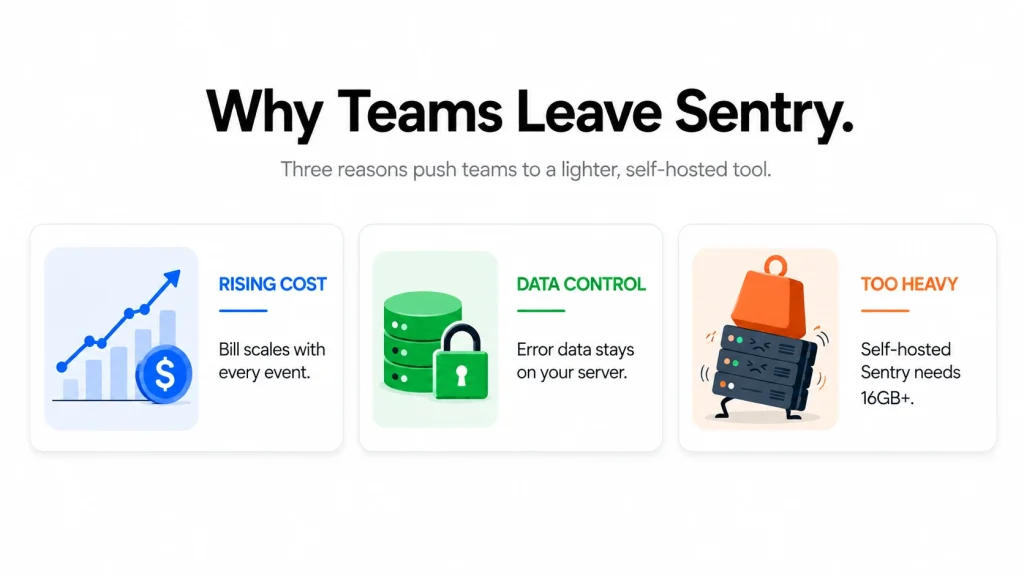
Sentry set the standard for error tracking, so why do so many teams look for a self-hosted Sentry alternative? Three reasons come up again and again.
The first is cost. Sentry’s Team plan starts around $26 a month, then adds per-event overage once you pass quota, climbing to $80 and up on Business. For a growing app, the bill scales with your traffic, which feels backward when a spike in errors is exactly when money is tight.
The second is data ownership. Error payloads and session replays contain real user activity. Privacy-conscious and regulated teams often cannot send that to a third-party vendor, so a self-hosted Sentry alternative that keeps everything on their own server is the only compliant path. This matters even more if you are building a SaaS product, where customer data touches every error you capture.
The third, and most underrated, is that self-hosting Sentry itself is brutal. The open-source Sentry needs Kafka, ClickHouse, Snuba, Relay, Symbolicator, Postgres, Redis, and dozens of worker containers, 16GB of RAM as a floor. Teams try it, watch it fall over, and go looking for something lighter. That search is what brings most people to a self-hosted Sentry alternative in the first place.
What to look for in a self-hosted Sentry alternative
Not every tool that calls itself a self-hosted Sentry alternative is worth installing. Some are heavy observability platforms wearing an error-tracking label, and some are light because they quietly cut the features you need. Run any option through this checklist before you commit.
- Sentry SDK compatibility. The best alternatives speak the Sentry envelope protocol, so you keep your existing @sentry/nextjs instrumentation and just repoint the DSN. That turns a migration into a config change instead of a rewrite.
- Session replay and traces. These are the features that make debugging fast. Some lighter tools quietly drop them, so confirm they actually work rather than fail silently.
- Resource footprint. This is the whole reason people leave self-hosted Sentry. A good self-hosted Sentry alternative should run on a small VPS, not a 16GB monster.
- Setup effort. Docker Compose and a five-minute quickstart beat a 40-container deployment every time.
- License and cost. Confirm it is genuinely free and open source, and that there is no per-event or per-seat charge waiting once you scale.
The 7 best self-hosted Sentry alternatives at a glance
Here is the full shortlist before the detail. Confirm current specs on each project’s docs before you commit.
| # | Tool | Price | Session replay | RAM footprint | Best for |
|---|---|---|---|---|---|
| 1 | Genius Debug | Free | Yes | ~2 GB | Lightweight with replay and traces |
| 2 | GlitchTip | Free / $15+ hosted | No | ~256 MB | Minimal crash reporting |
| 3 | Self-hosted Sentry | Free (heavy) | Yes | 16 GB+ | Teams with an ops crew |
| 4 | SigNoz | Free | No | 4 GB+ | OpenTelemetry observability |
| 5 | Highlight.io | Free / paid cloud | Yes | 4 GB+ | Full-stack monitoring |
| 6 | HyperDX | Free | No | 4 GB+ | Log-to-error correlation |
| 7 | OpenReplay | Free / paid cloud | Yes | 4 GB+ | Session-replay-first teams |
1. Genius Debug (best lightweight option with session replay)
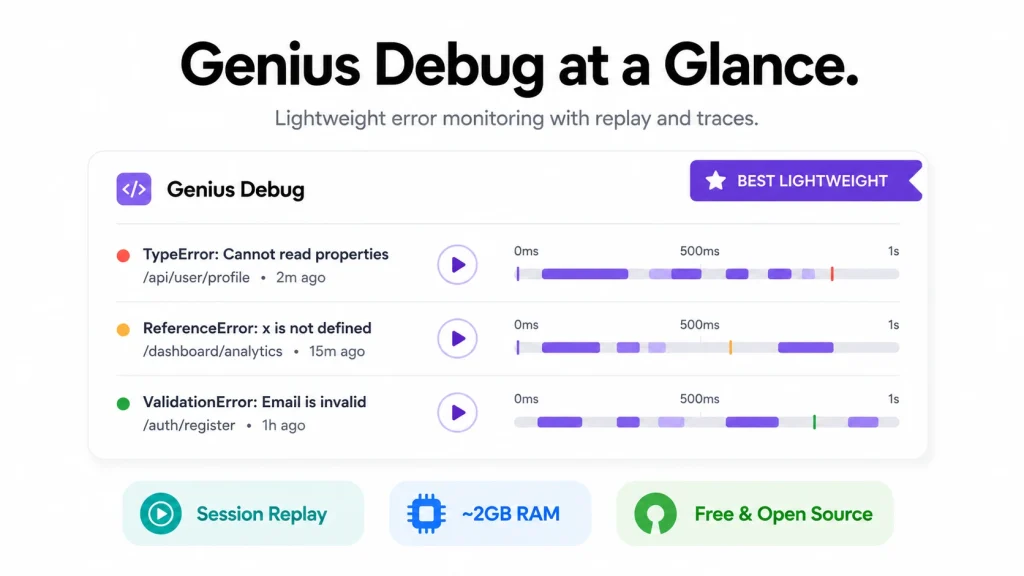
Price: free. Session replay: yes. RAM: ~2 GB. Disclosure: this is our own tool.
Genius Debug is a minimal self-hosted Sentry alternative for JavaScript and Next.js/React apps. It captures and groups errors, symbolicates minified stack traces, links each error to a distributed trace and a short session replay, and runs on about 2GB of RAM. It speaks the Sentry envelope protocol, so you keep the official @sentry/nextjs SDK and just repoint the DSN.
Pros:
- Keeps session replay and distributed traces working, which the lighter alternatives drop
- Runs on a small VPS (~2 GB RAM) instead of Sentry’s 16GB self-host
- Drop-in Sentry SDK compatibility, migrate by changing the DSN
- GitHub deep-links, suspect-commit detection, and auto-resolve
- Free and open source, no per-event or per-seat pricing
Cons:
- Focused on the core triage loop, not Sentry’s full platform (no profiling)
- Next.js/React is the primary supported path, with a first-class Laravel guide planned for v2
- Newer project, so a smaller community than the veterans
Honest positioning: Genius Debug is built to own the slice of Sentry a small team actually lives in, grouped, symbolicated, traced, and replayed errors, without the bill or the infrastructure. If you need Sentry’s full profiling and enterprise features, self-hosted Sentry is still the answer.
2. GlitchTip
Price: free self-hosted, $15+ hosted. Session replay: no. RAM: ~256 MB.
GlitchTip is the most popular open-source self-hosted Sentry alternative, and for good reason. It is genuinely light (around 256MB of RAM), Sentry-SDK compatible, and covers error grouping, stack traces, and release tracking cleanly. For a team that only wants crash reports and basic alerting, it is a solid choice.
Pros:
- Extremely lightweight and simple to run
- Sentry SDK compatible via the same wire protocol
- Mature, stable, and widely used
Cons:
- No session replay and no trace waterfalls, those SDK calls fail silently
- No GitHub deep-links or auto-resolve
- Weaker when your debugging depends on seeing what the user did
GlitchTip is the tool to beat, and the honest trade-off is clear: it is lighter than Genius Debug but drops the replay and traces that make debugging fast. If you never use those, GlitchTip is great. If you do, you will miss them.
3. Self-hosted Sentry
Price: free but resource-heavy. Session replay: yes. RAM: 16 GB+.
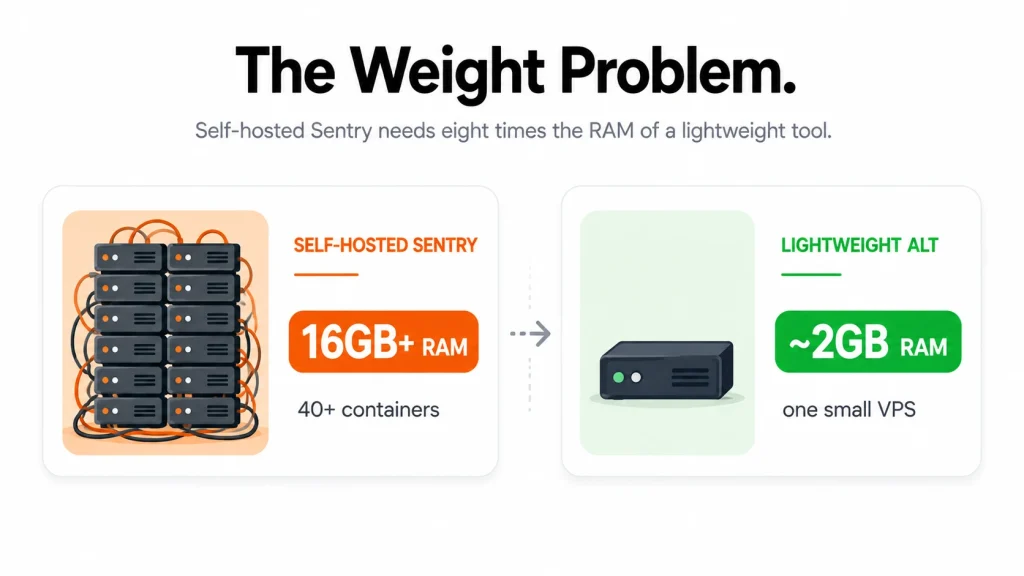
Running Sentry’s own open-source version gives you every feature: full traces, session replay, profiling, and the complete platform. The catch is the infrastructure. It needs Kafka, ClickHouse, Snuba, Relay, Symbolicator, Postgres, Redis, and dozens of worker containers, with 16GB of RAM as a bare minimum and more if it shares a server.
Pros:
- The complete Sentry feature set, self-hosted
- No SaaS per-event bill
- Everything is native and fully supported
Cons:
- Enormous resource footprint (16GB+ RAM, 40+ containers)
- Real operational overhead to keep running
- Overkill for small teams
This is the right self-hosted Sentry alternative only if you have an ops team and genuinely need the full platform. For everyone else, it is more than you can comfortably run.
4. SigNoz
Price: free self-hosted. Session replay: no. RAM: 4 GB+.
SigNoz is an open-source observability platform built around OpenTelemetry, covering metrics, traces, and logs alongside error tracking. It is a self-hosted Sentry alternative in the sense that it captures errors, but it is really aimed at teams who want full observability, not just crash reports.
Pros:
- Native OpenTelemetry, ideal if you already use OTel
- Metrics, traces, and logs in one platform
- Strong for backend and infrastructure monitoring
Cons:
- No session replay
- Heavier and more complex than a focused error tool
- More than most frontend teams need
Choose SigNoz if your goal is broad observability and you are comfortable with the OpenTelemetry ecosystem. For pure frontend error triage, it is the wrong shape.
5. Highlight.io
Price: free self-hosted, paid cloud. Session replay: yes. RAM: 4 GB+.
Highlight.io combines session replay, error monitoring, and logging into a full-stack observability tool. It is one of the few open options with strong replay, though it is SaaS-first and heavier to self-host than a focused tool.
Pros:
- Strong session replay tied to errors
- Full-stack coverage (frontend and backend)
- Active development and polish
Cons:
- Heavier self-host than a minimal alternative
- SaaS-first, so self-hosting is the secondary path
- More platform than a small team needs for triage
Highlight.io is a good self-hosted Sentry alternative if you want replay-plus-observability in one tool and can run a heavier stack.
6. HyperDX
Price: free self-hosted. Session replay: no. RAM: 4 GB+.
HyperDX is an open-source observability tool built on ClickHouse that ties logs, traces, and errors together, so you can jump from an error to the logs around it. It suits teams whose debugging is log-heavy.
Pros:
- Strong correlation between logs, traces, and errors
- OpenTelemetry compatible
- Good for backend-heavy debugging
Cons:
- No session replay
- ClickHouse adds operational weight
- Frontend error triage is not its focus
Pick HyperDX if your debugging lives in logs and you want them linked to errors. For frontend replay, look elsewhere.
7. OpenReplay
Price: free self-hosted, paid cloud. Session replay: yes. RAM: 4 GB+.
OpenReplay is an open-source session replay platform that also captures errors. It is the inverse of most tools here: replay is the main event and error tracking is the companion. If watching user sessions is your primary need, it is strong.
Pros:
- Excellent, replay-first experience
- Self-hostable with full data ownership
- Good for UX and frontend debugging
Cons:
- Error tracking is secondary to replay
- Heavier self-host than a focused error tool
- Not a drop-in Sentry SDK replacement in the same way
OpenReplay is the right call when session replay is the priority and error tracking is a bonus, rather than the other way round.
Genius Debug vs GlitchTip: the head-to-head
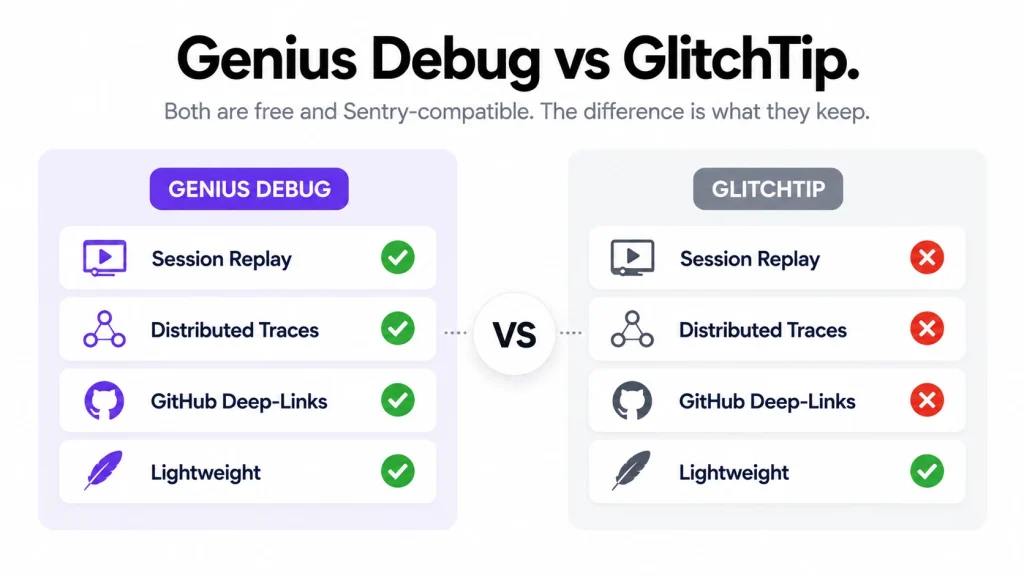
Since GlitchTip is the self-hosted Sentry alternative most teams land on first, it deserves a direct comparison. Both are free, open source, self-hosted, and Sentry-SDK compatible, so on paper they look similar. The difference is what each one keeps. GlitchTip is lighter because it does less, while Genius Debug spends a little more RAM to hold on to the features that make debugging fast. The table below lays out where they split.
| Feature | Genius Debug | GlitchTip |
|---|---|---|
| Price | Free, open source | Free, open source |
| RAM footprint | ~2 GB | ~256 MB |
| Error grouping and stack traces | Yes | Yes |
| Sentry SDK compatible | Yes | Yes |
| Session replay | Yes | No |
| Distributed traces | Yes | No |
| GitHub deep-links | Yes | No |
| Auto-resolve | Yes | No |
| Best for | Replay and traces without the weight | Smallest footprint, crash reports only |
The decision is simple. If you only want crash reports and the smallest possible footprint, GlitchTip wins. If you want to see the trace and the user’s session that led to the error, without paying Sentry or running Sentry’s 16GB stack, Genius Debug is the better self-hosted Sentry alternative. That gap in replay and traces is the whole reason Genius Debug exists.
Why not just self-host Sentry itself?
It is a fair question. Sentry is open source, so why use any other self-hosted Sentry alternative? The answer is the operational weight. Self-hosted Sentry runs Kafka, ClickHouse, Snuba, Relay, Symbolicator, Postgres, Redis, Memcached, and a fleet of worker containers. The published floor is 16GB of RAM, and in practice you want more if the box does anything else.
For a large team with dedicated infrastructure engineers, that is manageable and you get the full platform. For a small-to-mid team, it is a second job. The whole point of a lightweight self-hosted Sentry alternative is to get the triage loop you actually use on a server you can actually afford to run, without babysitting forty containers.
How to migrate off Sentry
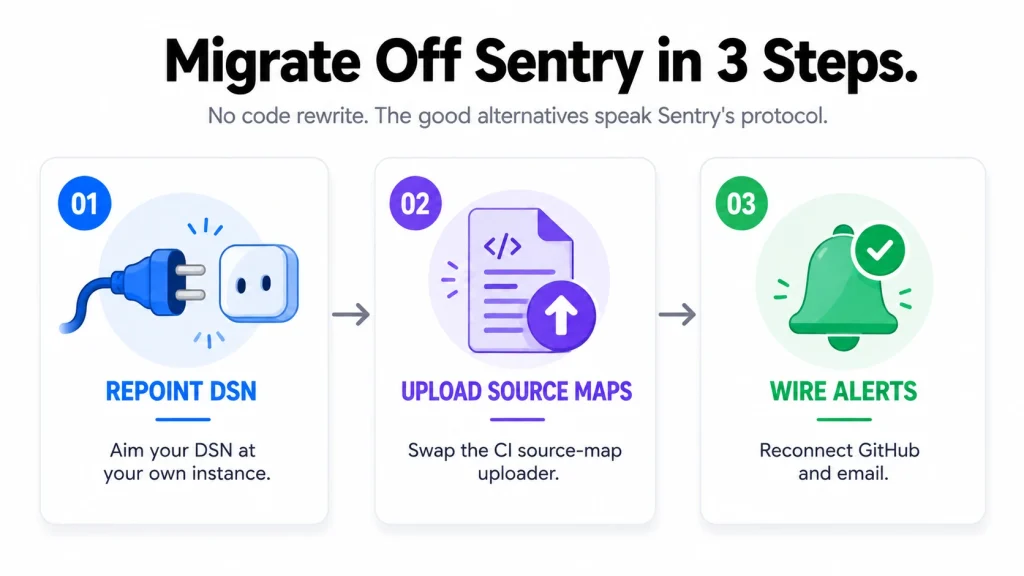
Switching to a self-hosted Sentry alternative is easier than most people expect, because the good ones speak Sentry’s protocol. The migration is roughly three steps.
First, point your DSN at your self-hosted instance instead of sentry.io. Your @sentry/nextjs SDK keeps sending the same envelopes. Second, swap the source-map upload step in your CI from Sentry’s uploader to your new tool’s, so stack traces stay symbolicated. Third, confirm alerts and integrations (GitHub, email) are wired on the new instance. No application code changes are required, which is what makes the switch low-risk.
How to choose the right self-hosted Sentry alternative
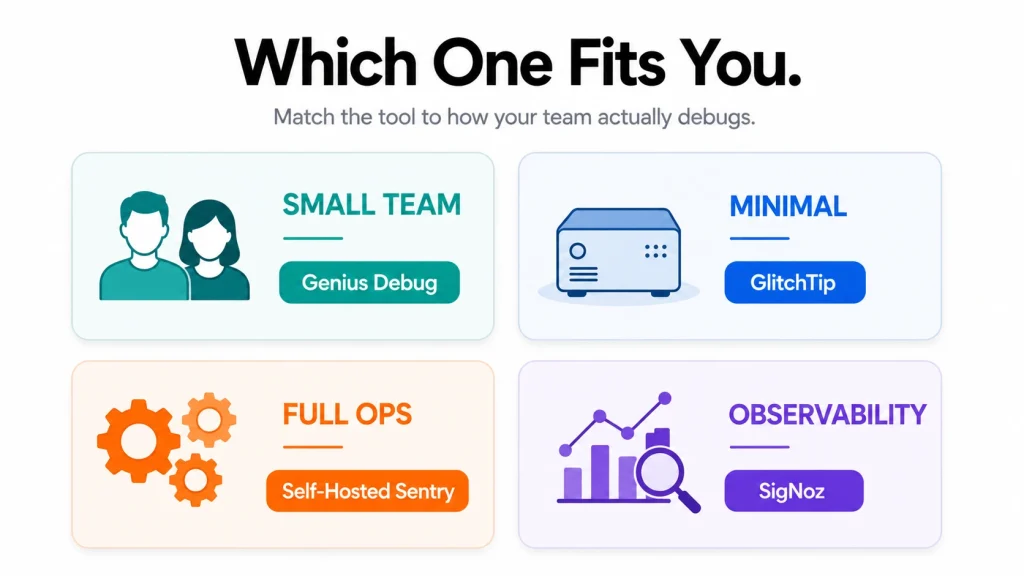
The best self-hosted Sentry alternative depends on your team and your debugging style. Match your situation to these picks.
- Small Next.js or React team that wants replay and traces without the weight. Genius Debug is the fit, light, free, and it keeps the features that speed up debugging.
- You only want crash reports and the smallest footprint. GlitchTip.
- You have an ops team and need the full platform. Self-hosted Sentry.
- You want broad OpenTelemetry observability, not just errors. SigNoz or HyperDX.
- Session replay is your main priority. OpenReplay, or Highlight.io for replay plus observability.
Two practical rules. Match the tool to what you actually use day to day, not to the longest feature list. And favor a Sentry-SDK-compatible option so switching stays a config change. If you run a multi-tenant app, error data quickly gets sensitive, so it is worth reading how a multi-tenant SaaS architecture keeps tenant data isolated before you pick a monitoring tool. And if you also run a support desk or CRM, our free Genius Support and Genius CRM round out a self-hosted stack you fully own.
Mistakes to avoid when choosing a self-hosted Sentry alternative
A few errors trip up teams switching from Sentry, and each one is easy to dodge.
- Picking a tool that drops the features you use. The most common mistake is choosing the lightest option, then discovering it silently ignores your session replay and trace calls. Confirm the self-hosted Sentry alternative actually supports what your SDK sends.
- Underestimating the server for the heavy options. Self-hosted Sentry and full observability platforms need real hardware. Budget the RAM before you commit, not after it falls over.
- Choosing a non-compatible tool and rewriting instrumentation. A Sentry-SDK-compatible self-hosted Sentry alternative migrates with a DSN change. A non-compatible one means reworking your app’s error handling, which is far more work.
- Forgetting source-map upload. If you skip repointing the source-map uploader in CI, your stack traces stay minified and useless. It is a one-line change, but it is easy to miss.
- Running an abandoned project. Error monitoring handles sensitive data, so check the last release date and activity before you trust a self-hosted Sentry alternative with production errors.
Avoid these and the switch is smooth. Fall into them and you will spend more time fighting the tool than fixing bugs. The whole reason to move to a self-hosted Sentry alternative is to debug faster and cheaper, so do not undercut that with a rushed choice.
Final thoughts
The right self-hosted Sentry alternative frees you from per-event pricing and keeps your error data on infrastructure you control. For most small-to-mid Next.js and React teams, the sweet spot is a lightweight tool that still shows you the trace and the session behind each error, without Sentry’s 16GB self-host or GlitchTip’s missing features.
The seven tools above each fit a different team, so match the choice to your stack and your debugging style rather than to whichever name you have heard most. For a small frontend team that wants speed without server sprawl, the lightweight, replay-capable option is usually the right call. That is exactly the gap Genius Debug fills: a free, open-source self-hosted Sentry alternative with session replay and traces, on about 2GB of RAM, that reuses your existing Sentry SDK. Download it, repoint your DSN, and you have error monitoring you own outright. And if you would rather have a team build or run your platform, our custom software development service can help.
Frequently asked questions
Is a self-hosted Sentry alternative really free?
The software is free and open source for tools like Genius Debug, GlitchTip, and SigNoz. You only pay for the server you run it on, a small VPS for the lightweight options. There is no per-event or per-seat charge.
Do I have to replace my Sentry SDK?
No, not for the Sentry-compatible options. Genius Debug and GlitchTip both speak the Sentry envelope protocol, so you keep the official @sentry/nextjs SDK and just repoint the DSN.
Which self-hosted Sentry alternative is the lightest?
GlitchTip, at around 256MB of RAM. Genius Debug is next at about 2GB, which buys you session replay and traces that GlitchTip does not have.
Does any of these support session replay?
Genius Debug, Highlight.io, and OpenReplay do. GlitchTip and SigNoz do not. If replay matters to your debugging, that narrows the field quickly.
Can I run a self-hosted Sentry alternative for a Laravel or PHP app?
Genius Debug’s ingest is platform-agnostic and already groups PHP events, so a Laravel app can send to it today, with a first-class guide planned for v2. Most of these tools accept events from any Sentry-compatible SDK.
How much server do I need?
For the lightweight options, a small VPS with about 2GB of RAM handles a small team comfortably. Self-hosted Sentry and the heavier observability platforms want 4 to 16GB or more, so the resource footprint alone often decides which self-hosted Sentry alternative fits your budget.