

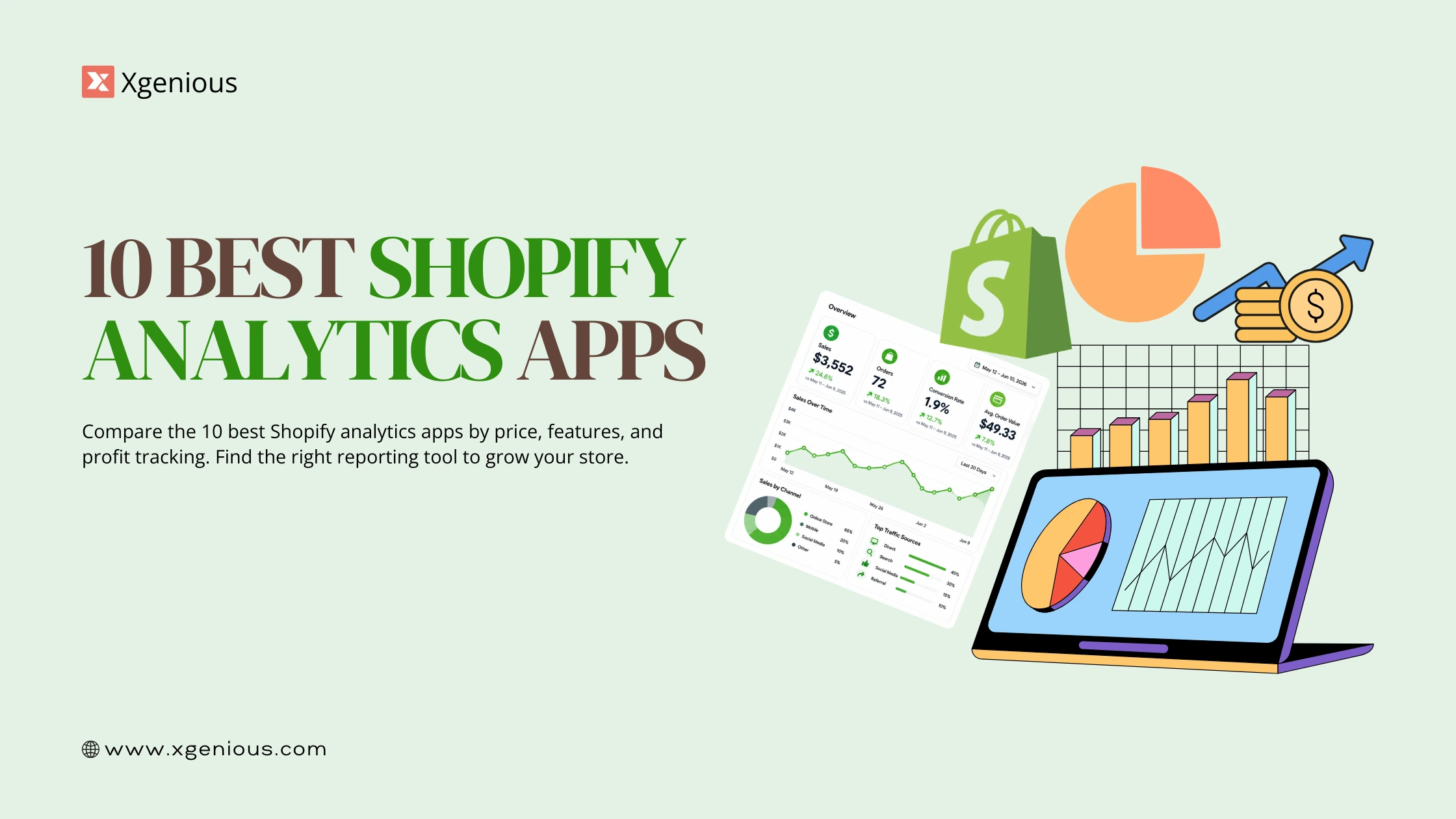


Shopify analytics apps turn the raw numbers in your store into decisions that actually make money, which is why most serious merchants add one within their first year. Shopify’s built-in reports tell you what sold. A good analytics app tells you what was profitable, which is a very different thing.
The stakes are real. There are more than 5.6 million active Shopify stores worldwide in 2026, according to Shopify statistics compiled by DemandSage, and the ones that grow tend to be the ones measuring true profit, not just revenue. The right analytics app is how you join them.
Quick disclosure before we start: Reportgenix, the first app on this list, is our own product. I have scored it honestly against the same criteria as every other app and pointed out where it falls short, so you can judge the pick for yourself. This guide compares the 10 best Shopify analytics apps for 2026 by price, features, and what each one is actually best at.
Table of Contents
Why you need Shopify analytics apps
Shopify’s native reports are fine for a quick glance, but they leave real gaps. They show revenue and orders, not net profit after cost of goods, shipping, fees, refunds, and ad spend. They update slowly. And they do not stitch together your marketing channels, so you cannot see which ad actually earned money.
That is the gap Shopify analytics apps fill. They pull in your costs and your ad data and show you the number that matters: what you kept, not what you turned over.
- True profit tracking. A product can look like a bestseller and still lose money once you count every cost. Analytics apps surface real margins per product, order, and channel.
- Real-time data. During a flash sale or a checkout bug, a 24-hour reporting delay is expensive. The better apps sync within minutes so you can react while it matters.
- Multi-channel attribution. When you run Facebook, Google, TikTok, and email, you need one place that shows which channel actually drove profitable sales, not just clicks.
- Custom reporting. Every store measures success differently, so the ability to build your own dashboards and KPIs matters more than a pile of preset reports.
Do Shopify analytics apps actually pay off? For most growing stores, yes, and quickly. The first time a Shopify analytics app shows you that a “bestseller” loses money after shipping and fees, or that one ad channel quietly eats your margin, it has usually earned back a year of its cost. That is the real reason merchants add these Shopify analytics apps rather than relying on the native dashboard alone.
If you are still choosing a platform or building your store, our guide to eCommerce website features covers the analytics foundations worth getting right early.
What makes a great Shopify analytics app
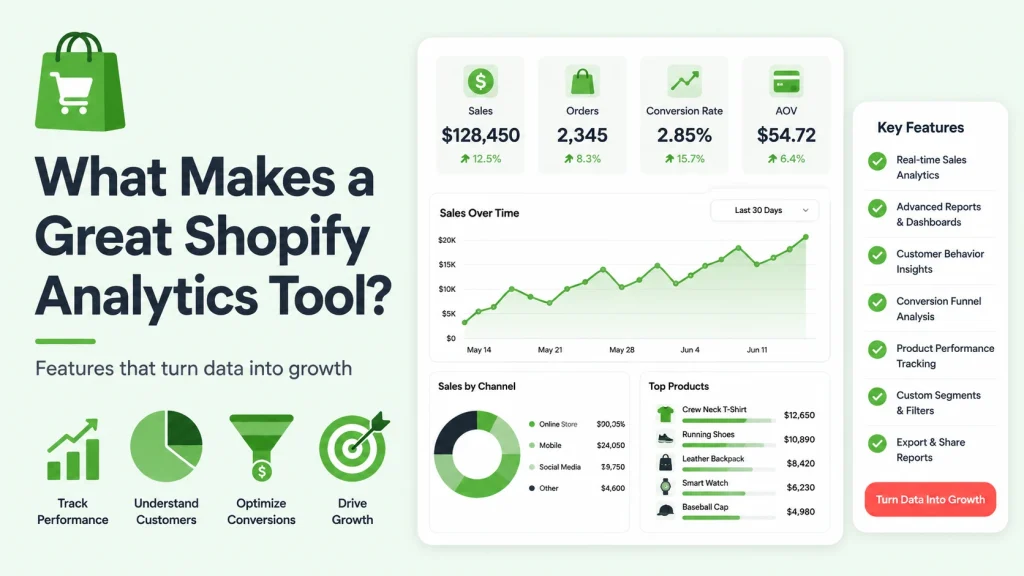
Before the list, here is what separates a tool worth paying for from a glorified report exporter. Use these as your checklist.
- Integration coverage. It should connect to your ad platforms, email tool, payment processor, and shipping provider without a painful setup.
- Depth of features. Look for true profit tracking, customer lifetime value, forecasting, and marketing attribution, not just revenue charts.
- Ease of use. If you need a data analyst to read the dashboard, it will end up as another abandoned subscription. Insights should be obvious within a day.
- Fair pricing that scales. Start on a plan that fits now but can grow with your order volume, and watch for hidden fees on exports or extra users.
- Real-time sync. Numbers that are hours old lead to slow decisions. Aim for apps that sync within minutes.
The 10 best Shopify analytics apps at a glance
Here is the full list before the details. Prices and ratings change often on the Shopify App Store, so confirm them live before you commit.
| # | Shopify analytics app | Starting price | Free plan | Best for |
|---|---|---|---|---|
| 1 | Reportgenix | $19.99/mo | Yes | AI insights on a budget |
| 2 | Better Reports | $19.90/mo | No | Deep custom reporting |
| 3 | Polar Analytics | $99/mo | No | Multi-channel DTC brands |
| 4 | Triple Whale | $100/mo | No | Ad attribution at scale |
| 5 | Mipler | $19/mo | No | Fast ad-hoc reports |
| 6 | Report Pundit | Free | Yes | Custom reports with support |
| 7 | Report Toaster | Free | Yes | Real-time dashboards |
| 8 | Lifetimely | $19/mo | No | Lifetime value and retention |
| 9 | BeProfit | $29/mo | No | Profit dashboards |
| 10 | True Profit | $29/mo | No | Automated profit tracking |
1. Reportgenix
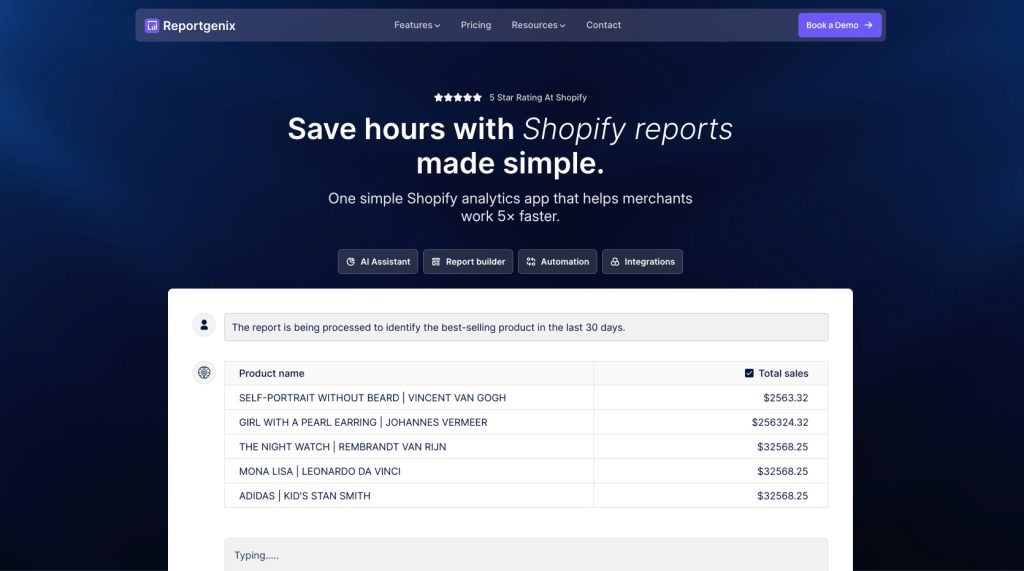
Overview: Reportgenix pairs a drag-and-drop report builder with an AI assistant that flags trends and predictions, built for merchants who want serious analytics without an enterprise price tag. It fits stores doing roughly $5,000 to a few million a month. Disclosure: this is our own app, and it is scored on the same criteria as the rest.
Key Features:
- Genix AI assistant: predictions for inventory and sales trends
- Real-time syncing: data updates every few minutes
- Custom report builder: drag-and-drop, no code
- Automated scheduling: daily, weekly, or monthly reports
- Smart integrations: Slack and email tools
- Mobile dashboard: full access from any device
Pros:
- Low entry price with a free plan
- AI-assisted insights included, not an add-on
- Real-time sync and custom report builder
- No coding needed
Cons:
- Newer than the veterans, so a smaller community
- Lighter on advanced statistical modeling
Pricing: Free plan, premium from $19.99/month.
Best For: Stores of any size wanting professional analytics affordably.
As an all-round Shopify analytics app, Reportgenix is the value pick for merchants who want profit clarity and AI help cheaply. Being honest about our own product: if you need the deepest attribution modeling, Triple Whale or Polar go further.
2. Better Reports
Overview: Better Reports is the choice when you need very specific, custom reports beyond standard templates. It offers 100+ pre-built reports plus unlimited custom ones, and consolidates data across multiple Shopify stores into unified dashboards.
Key Features:
- 100+ report templates: sales, inventory, taxes, and customers
- Advanced formula builder: custom calculations and metrics
- Multi-store consolidation: combine unlimited stores
- Automated distribution: email, FTP, or Google Sheets
- Granular filtering: drill down by any data point
- Flexible exports: CSV, PDF, and Excel
Pros:
- The most flexible custom reporting here
- Strong multi-store consolidation
- Handles complex, compliance-heavy reporting
Cons:
- Steeper learning curve
- Overkill for simple reporting needs
Pricing: From $19.90/month, 14-day free trial.
Best For: Established stores needing complex, customized reporting.
If your reporting needs are unusual or highly specific, Better Reports is the most capable Shopify analytics app on this list, provided you are willing to invest time learning it.
3. Polar Analytics
Overview: Polar Analytics is a centralized hub that integrates with 80+ platforms, so DTC brands running heavy paid marketing can see every channel in one blended dashboard instead of hopping between them.
Key Features:
- 80+ native integrations: from TikTok to Klaviyo
- Blended metrics dashboard: one view across all channels
- Custom KPI builder: track your own business metrics
- Automated alerts: get notified when metrics move
- White-label options: built for agencies
- API access: build custom integrations
Pros:
- Best multi-channel visibility on the list
- Large integration library
- White-label reporting agencies like
Cons:
- Pricey for single-channel stores
- More setup than lightweight tools
Pricing: From $99/month, 14-day free trial.
Best For: Multi-channel DTC brands and agencies managing several accounts.
For a brand spending across many channels, Polar is the Shopify analytics app that finally puts every number in one place. For a single-channel store, it is more than you need.
4. Triple Whale
Overview: Triple Whale is built for marketing attribution. Its server-side pixel captures data that ad platforms miss, which matters if you spend heavily and post-iOS tracking gaps are costing you real budget.
Key Features:
- Triple Pixel: server-side tracking for accurate attribution
- Creative Cockpit: performance by individual ad creative
- Blended ROAS: true return across all channels
- LTV by channel: value beyond first purchase
- Influencer tracking: measure real campaign impact
- Mobile app: full analytics on iOS and Android
Pros:
- Strong, accurate attribution
- Creative-level ad breakdowns
- Excellent mobile app
Cons:
- Premium pricing aimed at bigger spenders
- Focused on marketing, lighter on operations
Pricing: From $100/month, 14-day free trial.
Best For: Stores spending $10K or more per month on paid ads.
If ads are your biggest cost, Triple Whale is the Shopify analytics app most likely to pay for itself by exposing wasted spend. Overkill for stores that barely advertise.
5. Mipler
Overview: Mipler is for when you need a specific answer fast, like every California order over $50 in the last month, without wrestling with templates. Speed and simplicity are the whole point.
Key Features:
- Intuitive report builder: custom reports in under a minute
- Real-time updates: data syncs throughout the day
- Team collaboration: share reports with permissions
- Multi-store support: manage several stores in one account
- Flexible exports: download in any format
- Query history: save and reuse configurations
Pros:
- Very fast custom report creation
- Genuinely easy for non-technical teams
- Affordable
Cons:
- Lighter on advanced analytics
- Basic visualizations
Pricing: From $19/month, 7-day free trial.
Best For: Growing stores needing quick, flexible reports without complexity.
Mipler is the Shopify analytics app to reach for when you value speed over depth and want answers to one-off questions in seconds.
6. Report Pundit
Overview: Report Pundit stands out for its support team, who will build the exact report you ask for. With 100+ templates and a generous free tier, it suits merchants who know what they want but not how to extract it.
Key Features:
- 100+ report templates: ready for most scenarios
- Live custom report building: support builds reports for you
- Unlimited reports: no cap, even on the free plan
- Scheduling and automation: on paid plans
- Multi-format export: PDF, CSV, Excel, Google Sheets
- Advanced filtering: segment by any parameter
Pros:
- Genuinely useful free plan
- Support builds custom reports for you
- No technical skill required
Cons:
- Interface feels dated
- Automation needs a paid upgrade
Pricing: Free plan available, paid upgrades add automation.
Best For: Budget-conscious stores wanting custom reports with human help.
Report Pundit is the most hands-held Shopify analytics app here, ideal if you would rather ask a human than learn a report builder yourself.
7. Report Toaster
Overview: Report Toaster is about speed and simplicity, delivering live dashboard widgets within minutes of install. It is a strong daily health-check tool and a good starting point for newer stores.
Key Features:
- Instant dashboards: auto-generated from your data
- Real-time widgets: live-updating metrics
- 100+ templates: for common reporting needs
- Custom alerts: notifications on important changes
- Mobile responsive: clean viewing on any device
- Team sharing: different dashboards per role
Pros:
- Truly real-time data
- Clean interface, near-zero learning curve
- Generous free tier
Cons:
- Light on deep analysis
- Basic attribution
Pricing: Free plan available, paid upgrades for advanced features.
Best For: Stores wanting simple, real-time monitoring without complexity.
Report Toaster is the easiest Shopify analytics app to start with, giving you a live dashboard on day one without any setup headache.
8. Lifetimely
Overview: Lifetimely focuses on the metric many Shopify analytics apps skim over: customer lifetime value. Its cohort analysis shows which products and channels create your most valuable long-term customers.
Key Features:
- LTV calculations: by customer, product, and channel
- Cohort analysis: retention and repeat-purchase patterns
- Predictive LTV: forecast future customer value
- CAC payback: see when customers become profitable
- Subscription analytics: churn, retention, and MRR
- Profit analytics: true margin per cohort
Pros:
- Best-in-class LTV and cohort analysis
- Predictive LTV and CAC payback
- Affordable for the depth
Cons:
- Narrow focus on LTV
- Lighter general reporting
Pricing: From $19/month, 14-day free trial.
Best For: Subscription businesses and brands built on repeat purchases.
If retention is where you win or lose, Lifetimely is the Shopify analytics app that shows you which customers are actually worth acquiring.
9. BeProfit
Overview: BeProfit automatically pulls every expense, from COGS to shipping to fees, and shows real profit by product, order, and channel. It is for margin-conscious owners who want the full picture, not vanity revenue.
Key Features:
- Automated expense tracking: pulls costs from all sources
- Real-time P&L: live profit and loss
- Product profitability: true margins per SKU
- Marketing ROI: ROAS after product costs
- Order analytics: profit per transaction
- Custom expense categories: track unique costs
Pros:
- Comprehensive, automated profit tracking
- Clear visual dashboards
- Good mobile app
Cons:
- Focused on profit metrics only
- Basic forecasting
Pricing: From $29/month, 14-day free trial.
Best For: Margin-conscious stores wanting complete profit transparency.
BeProfit is the Shopify analytics app to choose when your single biggest question is “am I actually making money,” and you want the answer without a spreadsheet.
10. True Profit
Overview: True Profit automates profit calculation end to end, syncing with your store, ad platforms, and shipping providers so you always know real profit today, this week, and this month.
Key Features:
- Automatic sync: connects all expense sources
- Live profit dashboard: by day, week, and month
- Multi-currency support: accurate across currencies
- Product profit matrix: true margins per SKU
- Ad platform integration: imports spend automatically
- Mobile optimization: full profit view on your phone
Pros:
- Fully automated, set-and-forget tracking
- Multi-currency support
- Simple and user-friendly
Cons:
- Profit metrics only
- No predictive analytics
Pricing: From $29/month, 14-day free trial.
Best For: Solo founders and small teams wanting hands-off profit tracking.
True Profit is the Shopify analytics app for owners who know profit matters but never have time for the maths, giving you a hands-off, always-current profit number.
Full comparison of the 10 Shopify analytics apps
| Shopify analytics app | Starting price | Free plan | Free trial | Best for |
|---|---|---|---|---|
| Reportgenix | $19.99/mo | Yes | 7 days | AI insights on a budget |
| Better Reports | $19.90/mo | No | 14 days | Deep custom reporting |
| Polar Analytics | $99/mo | No | 14 days | Multi-channel DTC |
| Triple Whale | $100/mo | No | 14 days | Ad attribution |
| Mipler | $19/mo | No | 7 days | Fast ad-hoc reports |
| Report Pundit | Free | Yes | 14 days | Custom reports + support |
| Report Toaster | Free | Yes | 14 days | Real-time dashboards |
| Lifetimely | $19/mo | No | 14 days | Lifetime value |
| BeProfit | $29/mo | No | 14 days | Profit dashboards |
| True Profit | $29/mo | No | 14 days | Automated profit |
Free vs paid Shopify analytics apps
One of the first questions merchants ask is whether the free Shopify analytics apps are good enough or whether the paid ones are worth it. The honest answer is that it depends on your stage.
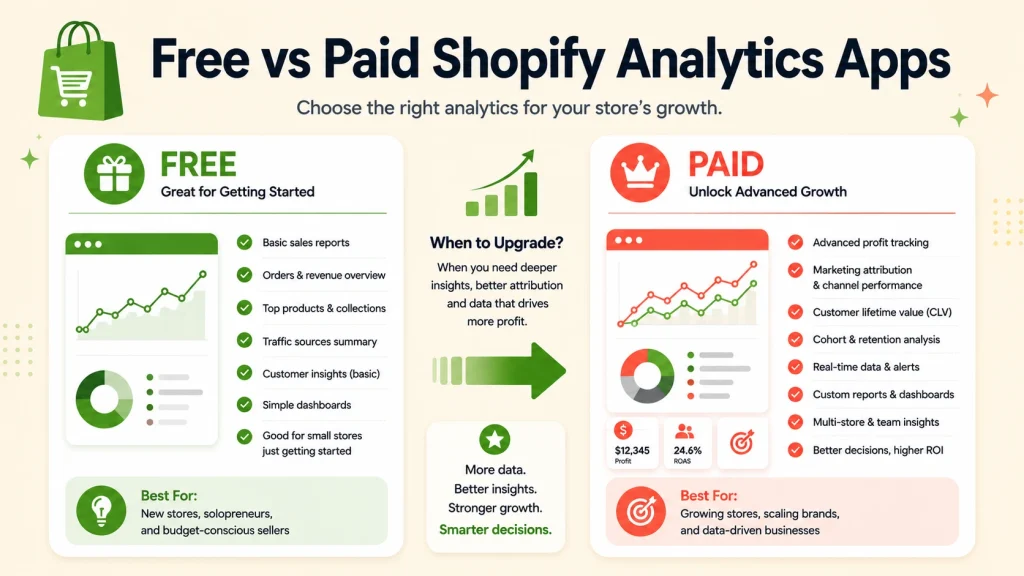
Free plans have come a long way. Report Pundit, Report Toaster, and the Reportgenix free tier all give real reporting at no cost, which is plenty for a newer store that mostly needs to watch sales, orders, and a few key metrics. Starting free is the smart move, because you learn what you actually need before you pay for it.
Paid Shopify analytics apps earn their price once your decisions involve real money. The moment you are spending on ads across several channels, carrying meaningful inventory, or working out true margins after every cost, the profit clarity and attribution that paid tools provide pays for itself. A $29 app that reveals a product quietly losing money on every sale has already covered a year of its own cost.
The practical path is to start with a free Shopify analytics app, use it seriously for a month, and upgrade only when you hit a clear limit. Avoid paying for depth you will not touch for months, and avoid staying free so long that you make expensive decisions blind.
How to choose the right Shopify analytics app
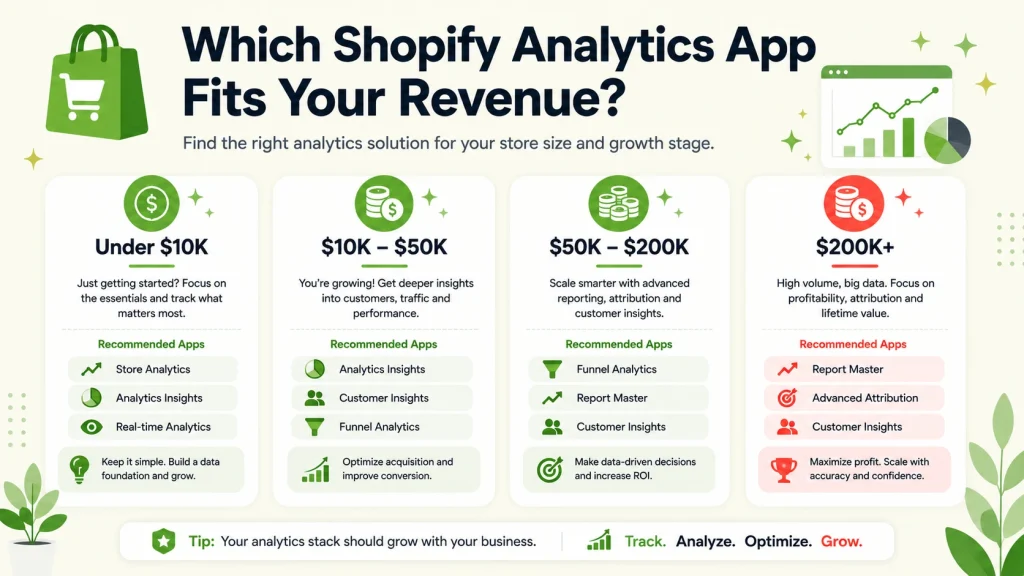
The best Shopify analytics app depends on your revenue and your biggest blind spot. Match your situation to these picks.
- Under $10K per month. Start free with Reportgenix, Report Pundit, or Report Toaster. Prove the value before you pay.
- $10K to $50K per month. Reportgenix premium, Mipler, or BeProfit give real profit clarity without a big bill.
- $50K to $200K per month. Triple Whale for ad attribution or Polar Analytics for multi-channel visibility.
- $200K per month and up. Polar Analytics or a combination of specialized tools for full coverage.
Two practical rules for any Shopify analytics app. First, pick for your biggest pain, whether that is profit, attribution, or LTV, rather than buying the tool with the longest feature list. Second, always use the free trial, connect it fully, and check a real report before you commit. A tool you never configure is money wasted.
Getting more from your Shopify analytics apps
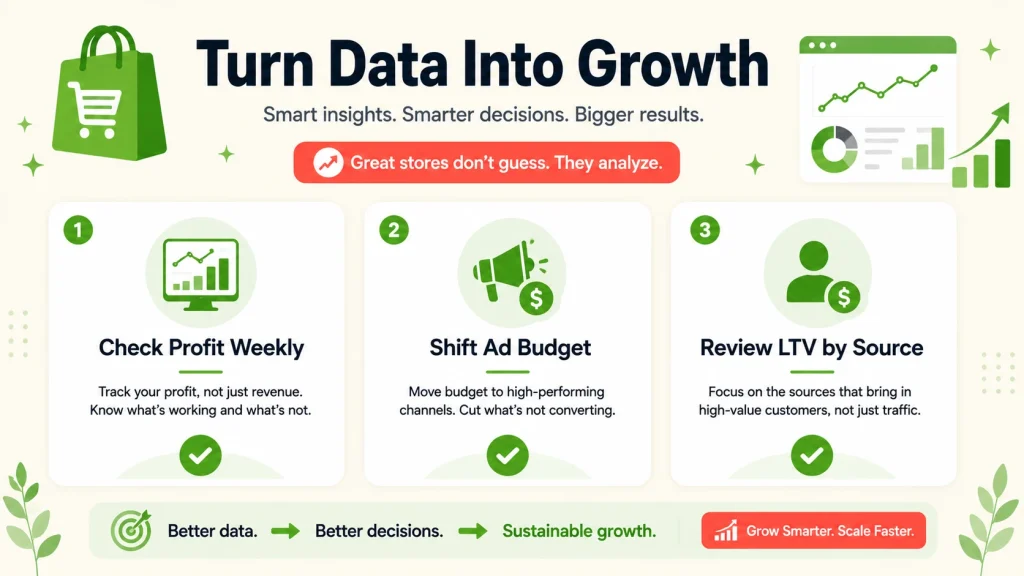
Installing a Shopify analytics app is the easy part. The value comes from acting on what it shows you. A few habits make the difference.
Check profit, not just revenue, once a week, and kill or fix the products that only look successful. Watch your marketing attribution and shift budget toward the channels that earn, not the ones that get clicks. And review customer lifetime value by acquisition source, because your cheapest customers to acquire are often not your most valuable.
If you want to go further than reporting, we build custom Shopify tools and automations through our Shopify development service, and our AI chatbot Botmerze helps Shopify and WooCommerce stores turn that traffic into sales. For the wider platform picture, our eCommerce platform comparison is a useful companion read. The habit that separates growing stores is simple: they treat their Shopify analytics app as a weekly decision tool, not a dashboard they glance at once a month.
Mistakes to avoid with Shopify analytics apps
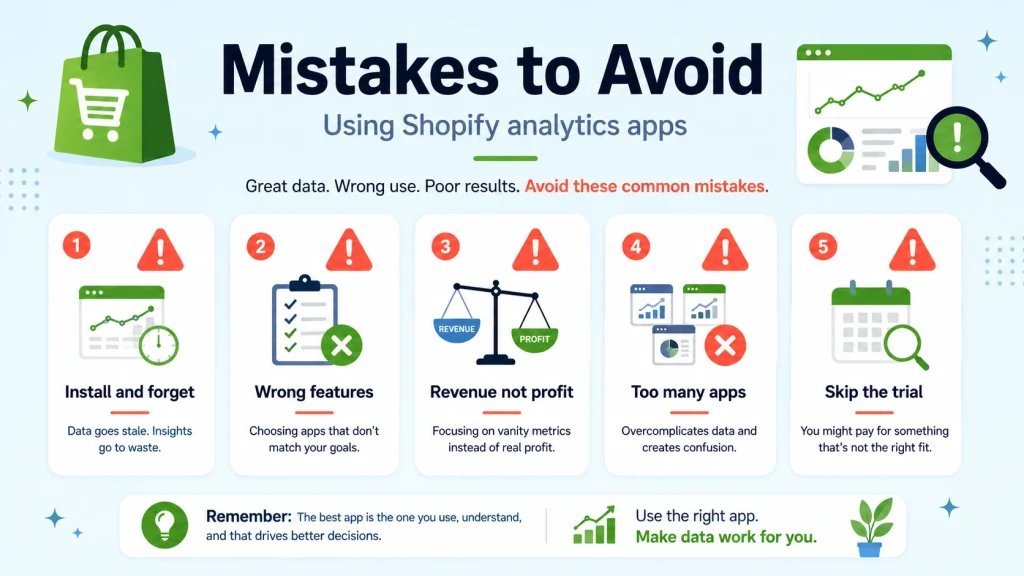
A good tool badly used still wastes money. These are the errors that trip up merchants most often.
- Installing and forgetting. Subscribing to a Shopify analytics app, never fully connecting your ad and cost data, then ignoring the dashboard. An app you do not act on is pure cost.
- Buying for features you will not use. A $100 attribution tool is wasted on a single-channel store. Match the Shopify analytics app to your actual situation.
- Watching revenue instead of profit. Revenue is a vanity number. Build your dashboard around margin.
- Running too many apps at once. Stacking three or four Shopify analytics apps leads to conflicting numbers. Start with one.
- Ignoring the free trial. Never subscribe without connecting real data and running a genuine report first.
Final thoughts
The right Shopify analytics app moves you from guessing to knowing, and in a market of millions of stores, that clarity is often the difference between growing and stalling. Match the app to your revenue and your biggest blind spot: free tools like Report Toaster to start, profit trackers like BeProfit or True Profit for margin clarity, and Triple Whale or Polar for serious ad attribution.
For most stores that want profit insight and AI help without an enterprise bill, Reportgenix is our own app and the value pick, with a free plan to test it risk-free. Whichever you choose, the win comes from acting on the data, not just collecting it.
Frequently asked questions
Why do I need third-party analytics apps when Shopify has built-in reports?
While Shopify’s native analytics provide basic insights, they fall short for serious profit optimization. Built-in reports show surface-level metrics like revenue and orders but miss critical elements like true profit after all costs, real-time data updates, and marketing attribution across channels. Must-have Shopify analytics apps fill these gaps by providing deeper insights that directly impact your bottom line. For example, you might think a product is profitable based on Shopify’s reports, but after factoring in COGS, shipping, returns, and ad spend, third-party apps might reveal it’s actually losing money. The investment in proper Shopify analytics apps typically pays for itself within the first week through identified profit leaks and optimization opportunities.
Which Shopify analytics app is best for beginners with limited budgets?
For beginners, start with Reportgenix’s free plan or Report Pundit’s free tier. Both offer professional-grade analytics without upfront costs, allowing you to test the value before investing. Reportgenix particularly stands out with its AI assistant that guides you through data interpretation, making complex analytics accessible even without experience. As you grow, their paid plans remain affordable at $4.90-$19.99/month. The key is choosing Shopify reporting tools that match your current needs while offering room to scale—avoid overbuying features you won’t use for months.
Can these analytics apps track my actual profit, not just revenue?
Yes, several Shopify profit tracking apps specialize in calculating true net profit. BeProfit, True Profit Analytics, and Reportgenix automatically factor in COGS, shipping costs, transaction fees, refunds, returns, and marketing spend to show your real margins. This is crucial because many “successful” stores discover they’re barely breaking even after all costs. These apps integrate with your ad platforms, payment processors, and shipping providers to pull expense data automatically, eliminating manual spreadsheet work while providing accurate, real-time profit visibility.
Do these apps slow down my store or affect customer experience?
No, must-have Shopify analytics apps process data on their own servers, not yours. They pull information through Shopify’s API without affecting your store’s speed or customer experience. This backend processing means you can run complex reports and calculations without any impact on page load times or checkout performance. In fact, the insights these apps provide often help improve site performance by identifying technical issues, slow-loading products, or checkout friction points you didn’t know existed.
Can I use multiple analytics apps together?
Yes, many successful stores use 2-3 complementary Shopify analytics apps. A common combination is Reportgenix for general analytics and AI insights, BeProfit for detailed profit tracking, and Triple Whale for marketing attribution. Since each app specializes in different areas, using multiple tools can provide comprehensive coverage. However, start with one app that addresses your biggest pain point, master it, then add others as needed. Too many tools at once leads to data overwhelm and abandoned subscriptions.
Are there free trials available to test these apps?
Yes, most must-have Shopify analytics apps offer 7-14 day free trials, and several have permanent free plans. Always start with free trials to validate the app provides value for your specific needs. During trials, focus on setting up completely and using the app daily—don’t just install and forget. Many apps also offer money-back guarantees if you’re unsatisfied. The combination of free trials and free plans means you can test multiple options without financial risk before committing to the tool that best fits your store.